STAY TUNED!
Subscribe to our newsletter and get the 600+ pages eBook Inside ARES:

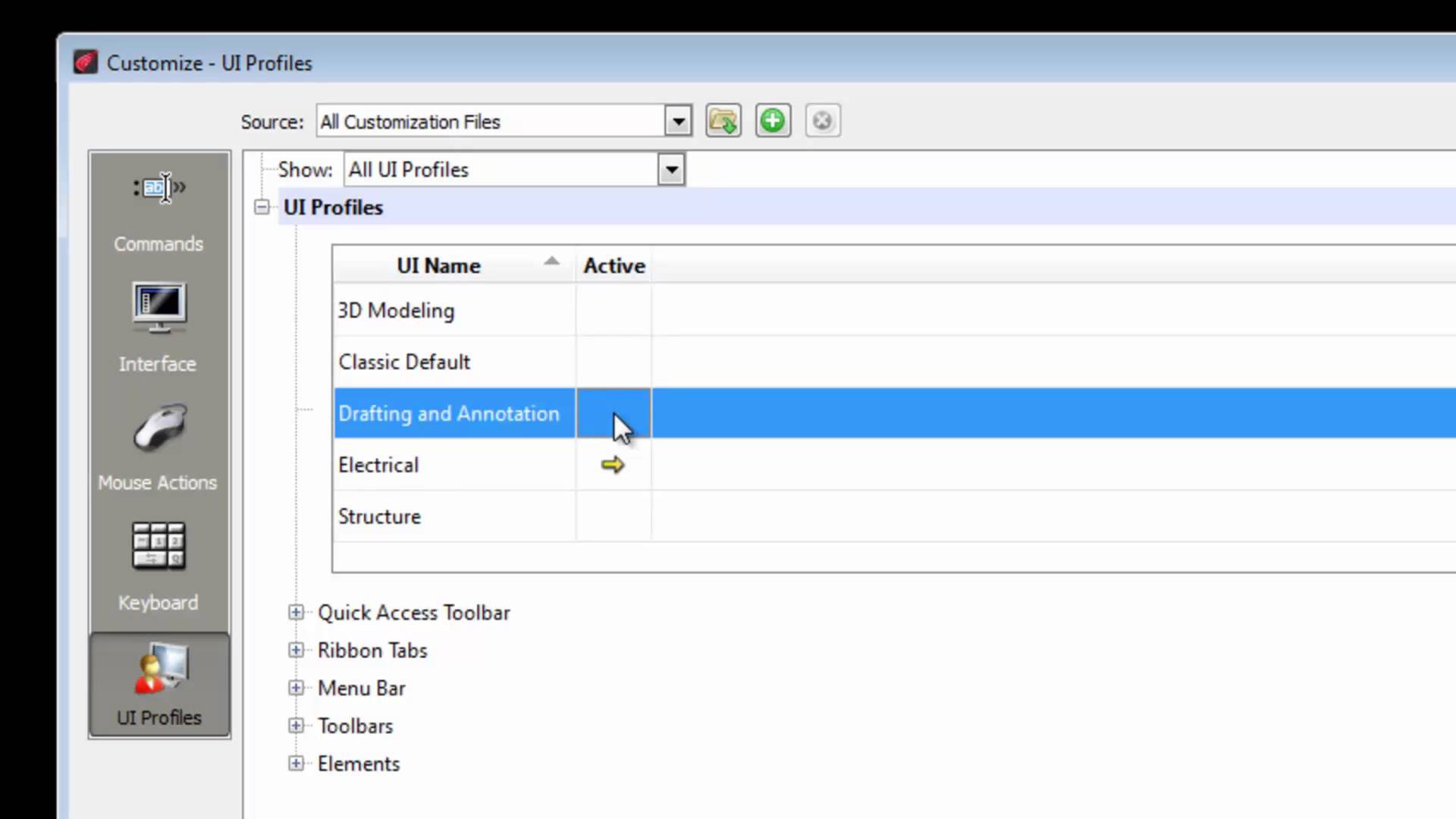
Working with Default Workspaces 1 00:00:09,000 –> 00:00:15,998 ARES Commander 2015 provides three default workspaces that we see here. 2 00:00:16,000 –> 00:00:19,900 However, depending on the type of work that we have to do, 3 00:00:20,140 –> 00:00:23,260 it can be required to customize the workspace 4 00:00:23,260 –> 00:00:31,460 to suit better the needs for specific activities such as electricity, architecture, structure etc. 5 00:00:32,740 –> 00:00:36,480 For example, when we select the workspace “3D MODELING”, 6 00:00:37,760 –> 00:00:42,940 the program will give priority to tools that will allow us to work in 3D. 7 00:00:43,140 –> 00:00:49,180 By using the option “DRAFTING AND ANNOTATION”, we are prioritizing the 2D tools. 8 00:00:49,200 –> 00:00:52,520 We can also return to the “classic” look, 9 00:00:53,400 –> 00:00:57,160 without Ribbon but with drop-down menus and toolbars. 10 00:00:57,160 –> 00:01:01,640 But … how do we create a customized

Deleting Duplicate drawings in ARES Commander DiscardDuplicate is one of the new commands of ARES Commander. With this new feature, you can clean your dwg drawings and delete duplicates with advanced options. 1 00:00:09,000 –> 00:00:15,200 When we make drawings in CAD It is possible that at any time we have duplicate entities. 2 00:00:15,520 –> 00:00:18,919 Just like in this case where there is apparently 1 circle. 3 00:00:19,280 –> 00:00:22,540 However, when we make a window selection of this “circle” 4 00:00:22,720 –> 00:00:26,439 we can see in the properties palette that there are 4. 5 00:00:26,640 –> 00:00:32,800 ARES Commander 2015 easily eliminates the entities that are duplicated. 6 00:00:33,280 –> 00:00:38,740 To select these entities we come here to the dropdown icon, where we find DELETE. 7 00:00:39,300 –> 00:00:42,480 Choose the command: Discard Duplicates. 8 00:00:42,480 –> 00:00:45,980 Where it says ‘ignore entity properties’ select
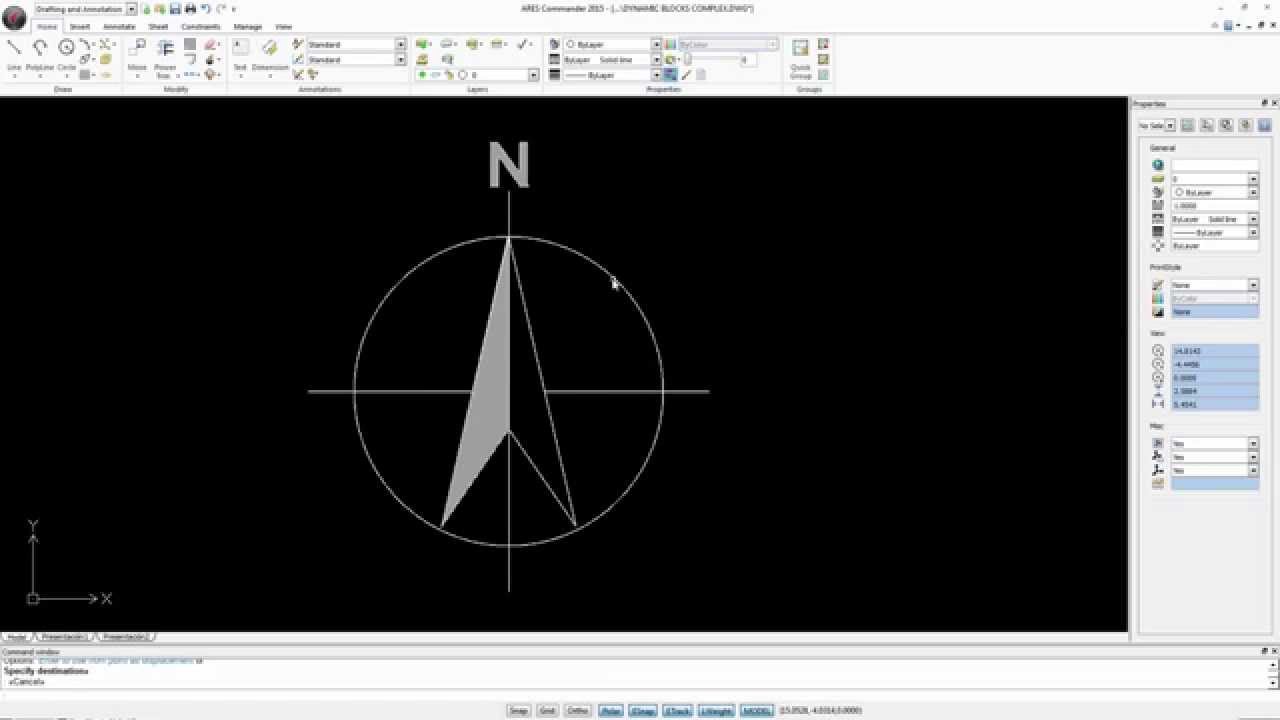
Working with Dynamic Blocks ARES Commander is introducing Dynamic Blocks Editing. You can now edit these smart blocks and configure them using grips and options. 1 00:00:09,40 –> 00:00:13,919 ARES Commander 2015 can work with dynamic blocks. 2 00:00:14,260 –> 00:00:17,60 A dynamic block differs from a traditional block 3 00:00:17,500 –> 00:00:22,200 because it has assigned parameters allowing it to change shape … 4 00:00:30,40 –> 00:00:36,19 … in several drawings within the same file, or change its proportions through grips. 5 00:00:39,400 –> 00:00:41,920 In this example, the scale. 6 00:00:42,120 –> 00:00:45,339 Here, the length … 7 00:00:45,800 –> 00:00:49,400 … and here we modify how far the thread goes. 8 00:00:51,340 –> 00:00:53,700 In this example you see a tree. 9 00:00:53,880 –> 00:00:54,760 When selected, 10 00:00:56,480 –> 00:01:03,580 you can choose between an appearance with foliage, without foliage or a schematic look. 11 00:01:04,280

Block with Attributes ExplodeBlockX is one of the new commands of ARES Commander. With this new feature, you can explode a block with attributes and convert attributes in the text. 1 00:00:09,220 –> 00:00:12,719 During a project, we sometimes use a block with attributes. 2 00:00:12,960 –> 00:00:18,740 ARES Commander 2015 allows us to edit these blocks without losing the content. 3 00:00:18,860 –> 00:00:21,700 Here, for example, there is a block with attributes. 4 00:00:22,100 –> 00:00:25,780 We can select the block and reposition the attributes. 5 00:00:33,50 –> 00:00:37,250 And we even have a grip that will allow us to reposition the block. 6 00:00:38,329 –> 00:00:42,9 We can also change the content of a block with attributes. 7 00:00:42,580 –> 00:00:44,739 Simply double click it. 8 00:00:45,290 –> 00:00:50,170 The attribute values appear with which we can make the changes we need. 9 00:00:50,540 –> 00:00:54,600 For
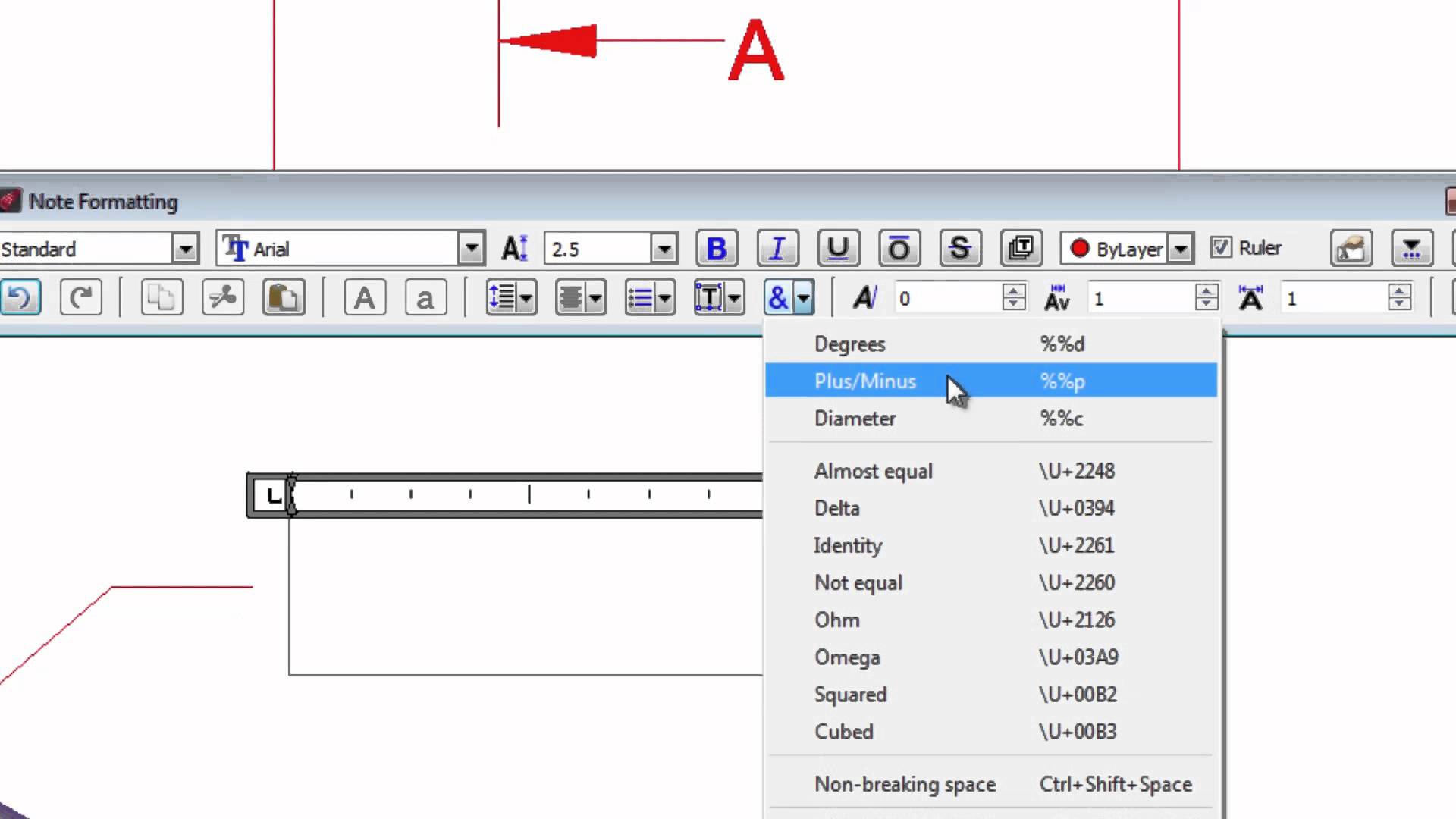
Editing Text in Drawings In-place Text Editing is one of the new features of ARES Commander 2015. With this new text editor, you can now edit texts like in a word processor. 1 00:00:08,840 –> 00:00:12,580 Create and edit text very easily in your drawings 2 00:00:12,580 –> 00:00:16,900 thanks to the tools offered by Ares Commander 2015. 3 00:00:16,900 –> 00:00:20,288 To edit a text, we can for example double-click 4 00:00:20,840 –> 00:00:22,420 and this editor opens. 5 00:00:22,680 –> 00:00:25,140 Its tools are similar to a word processor 6 00:00:25,620 –> 00:00:31,000 where we can select the text and convert it into uppercase or lowercase. 7 00:00:31,380 –> 00:00:36,100 We can even select several letters and convert to uppercase very easily. 8 00:00:39,000 –> 00:00:41,720 We can also select and change the color, 9 00:00:43,560 –> 00:00:47,320 convert to “Bold”, “Italic” or “Underlined”. 10 00:00:48,240 –>
Amit Kumar discusses useful innovations in ARES Commander 2015 “TSPACEFAC. Sets the line spacing distance specified as a text height factor for Notes.TSPACETYPE. Sets the type of line spacing used within Notes. I am sure you will find these Commands, Features, and System Variables very useful.” Read the full article on CADBlogbyAmit here.

By Cédric Desbordes, Sales & Marketing Executive at Graebert GmbH Much more than a cost-effective alternative to AutoCAD© for CAD in dwg, ARES Commander 2015 brings your productivity to the next level with new smart features and a unique concept: The Cross-device CAD Experience. You can now buy only one license of ARES Commander 2015 to create or modify your DWG files on several computers, several OS (Windows, Mac Linux) and use your tablet with the first full DWG-based CAD software for Android with ARES Touch. Some quotes from the press: “ARES is a capable and fully DWG-compatible CAD product—and it costs hundreds less than AutoCAD LT. Throwing in a premium Android tablet like the Samsung Galaxy S Tab 8.4 and a chance to run real CAD on it seems like quite the deal.” – Randall Newton in Graphic Speak “They have operated under the radar (…) very few know that

Amit Kumar explains ARES Commander‘s useful PDF Import Feature “ARES Commander offers a unique feature Import PDF command to insert content from Adobe® PDF files as Blocks into your drawings. You can insert all or selected pages from multiple page PDF documents.” Read the full article on CADBlogbyAmit here.

Introducing the Cross-Device CAD Experience and Free Android Tablet Holiday Offer Graebert™ GmbH the pioneer in developing high-performance CAD solutions across desktop and mobile devices – today announced the immediate availability of its acclaimed ARES™ Commander 2015 2D/3D CAD package on all three desktop operating systems: Microsoft® Windows®, Apple® Mac® OS X™ and Linux®. The company has also released ARES Touch 2015 Beta, the world’s first DWG-based CAD solution for Google® Android®. Each user of ARES Commander 2015 will also receive ARES Touch for one year, renewable for successive one-year terms with the Graebert subscription. ARES Commander 2015 and ARES Touch enable Graebert’s unique “Cross-device CAD experience”, first introduced at the Graebert 2014 annual meeting. Graebert now allows users to work from multiple computers or mobile devices.

CAD Blogger Amit Kumar explains how ‘Voice Note’ feature improves the user’s experience “ARES Commander has a beautiful feature of recording your voice with a drawing file. You can attach a voice note with a drawing entity or somewhere in drawing file. A symbol appears to display the location of Voice Note.” Read the full article on CADBlogbyAmit here.

Did you know that ARES Touch, our mobile DWG Viewer & Editor, is available for both Android and iOS?