Architecture & Interior Design
needs CAD that connects teams
Complex interior design and architecture projects require big teams — which must communicate clearly to succeed. Share DWG drawings instantly, and collect feedback and approvals from any collaborator, anywhere. Everyone can weigh in, whether or not they have CAD experience or software.

The ARES Trinity of CAD is cost-effective, modern CAD software for professionals in Interior Design & Architecture who are looking for better ways to collaborate around DWG drawings.
Create, Edit & Comment on DWG files
with the ARES Trinity Collaboration Features
—
Interior Designers & Architects
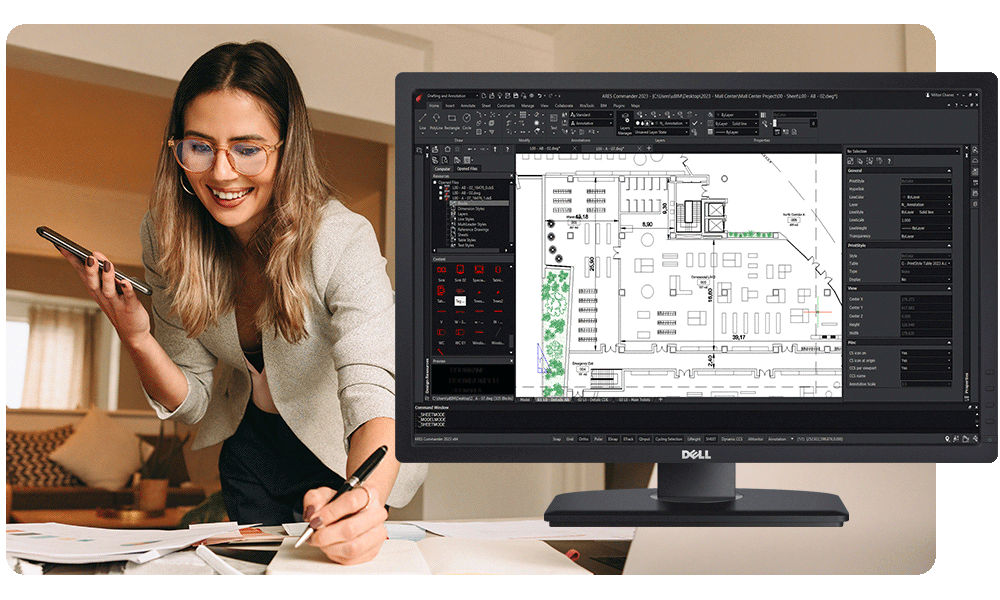
Do you struggle to get everyone on the same page? Now, sharing DWG files and collecting feedback from other team members is as easy as sending a link. And staying on budget is simple too, since the transition from AutoCAD to the ARES Trinity of CAD software is quick and intuitive. But saving money doesn’t mean compromising on features; in addition to the full set of 2D/3D CAD tools, you’ll benefit from hassle-free importation of Revit and IFC files, automated DWG creation, and SmartDimensions.
Contractors & Subcontractors
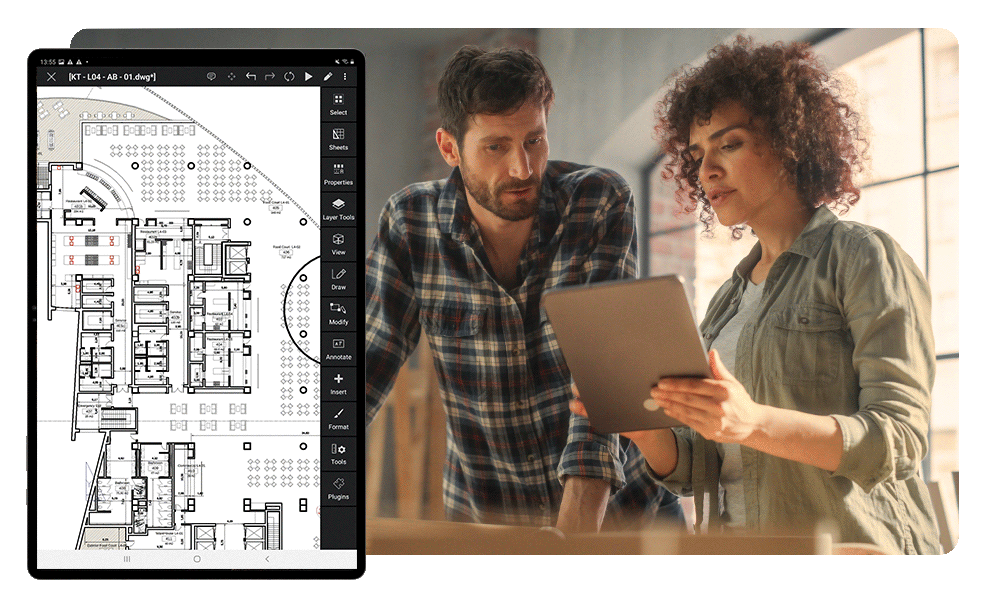
Always looking for little ways to trim expenses? Here’s a big one: Combine paid users, who have access to the full array of modern 2D/3D CAD tools, with free users, who can view and comment on projects anytime. The ARES Trinity of CAD software synchronizes drawings to ensure that every user in your team — paid or free, in the field or in the office — is always working with the current version of the DWG project. And since time is money, you’ll save both by streamlining communication between architects and contractors with the easy-to-use Comments and Markups features.
Building Owners & Project Managers
Staying on top of everything is easier than ever thanks to the view-only link feature in the ARES Trinity of CAD software. With just a click, you can access the latest version of every DWG file in the project on your computer or smartphone. Add your feedback directly within a DWG drawing using text annotations, stamps, images, or voice comments. And stay on top of changes and comments with email notifications that will notify you of all project changes — on your schedule.

The N°1 Alternative to AutoCAD
for Architecture & Interior Design
The ARES Trinity of CAD Software is a professional, full-featured alternative to AutoCAD; it is DWG-compatible and provides you all the features you need for technical drawings. In addition to desktop CAD, the ARES Trinity has robust mobile and web CAD capabilities. The transition for AutoCAD users is easy thanks to the familiar interface.
“Employees who had previously worked with AutoCAD took about 15 minutes to learn ARES CAD Software.”
Top Features
for Architects & Interior Designers
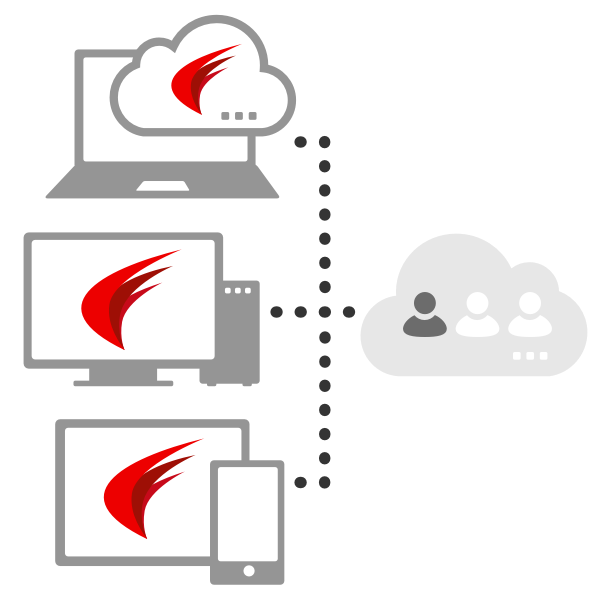
Much more than a suite of three CAD solutions, our Trinity concept combines the strengths of desktop computers, mobile devices and cloud computing into a unique CAD ecosystem. With ARES Commander, you keep the ability to work offline on your main computers as usual. With ARES Kudo and ARES Touch you further add the agility of Cloud and Mobile CAD.
Check out this sampling of features and commands in the ARES Trinity of CAD software:
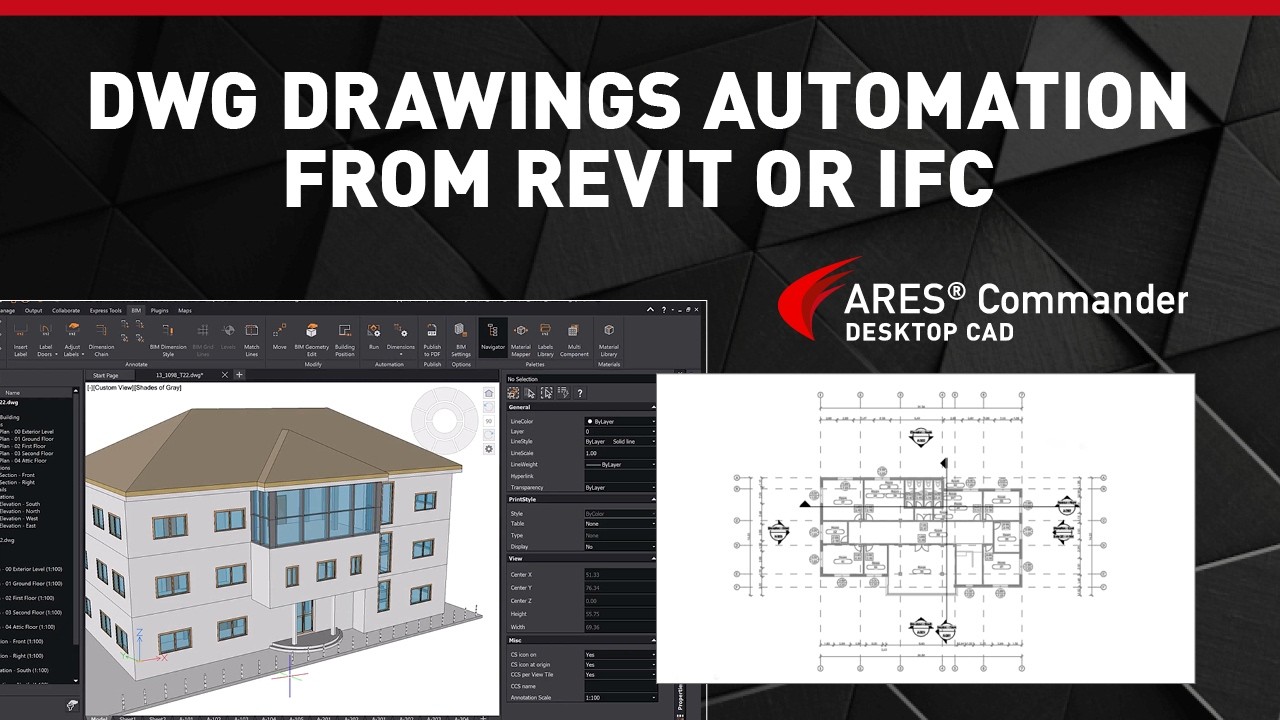
Automate 2D DWG drawings from Revit or IFC files
Generate construction-ready documentation from building information modeling (BIM) projects, ensuring consistent updates when design changes occur.
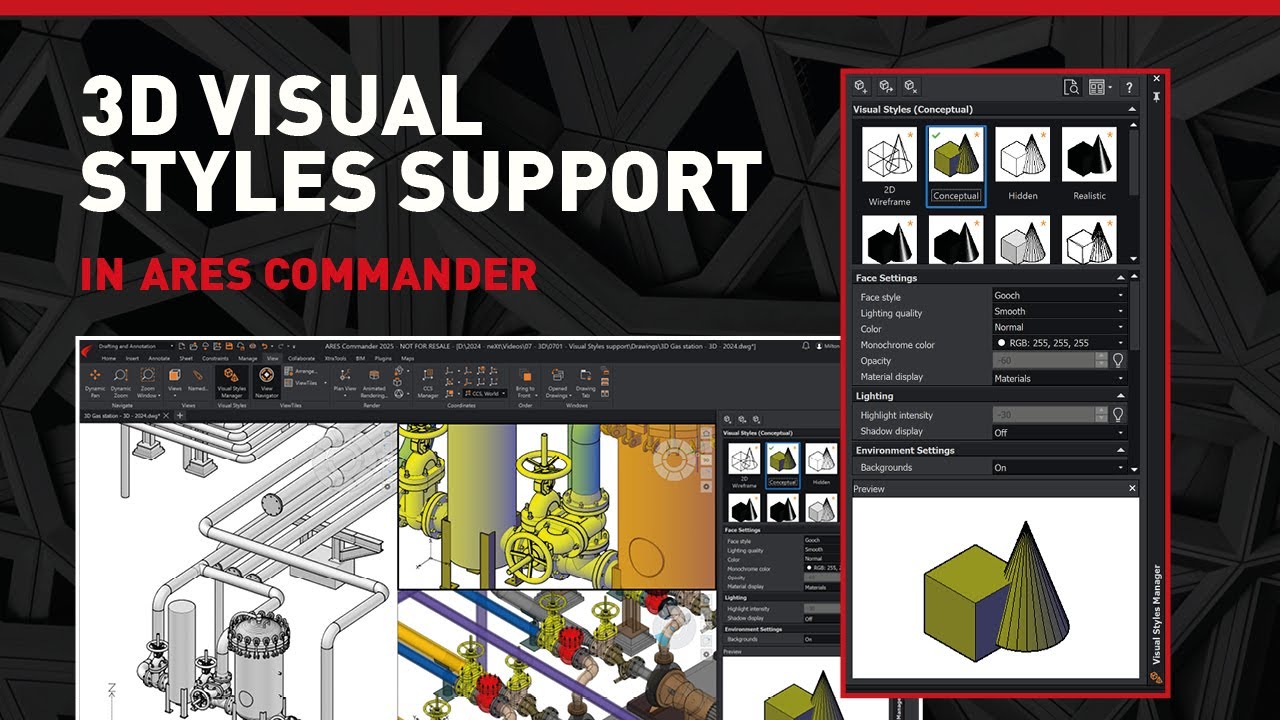
3D Modeling & Visualization
ARES Commander offers many tools for 3D modeling, easy to spot once we switch to the 3D workspace. Visual Styles are supported as well, thus 3D drawings configured with such specific styles in AutoCAD are displayed the same way in ARES Commander, and vice versa — ensuring visual consistency between applications.

Invite your Contacts to View and Comment for Free
Use View-only links to share a free, live-updated version of your drawing for online viewing and commenting. Collect feedback from customers easily and revoke access anytime.
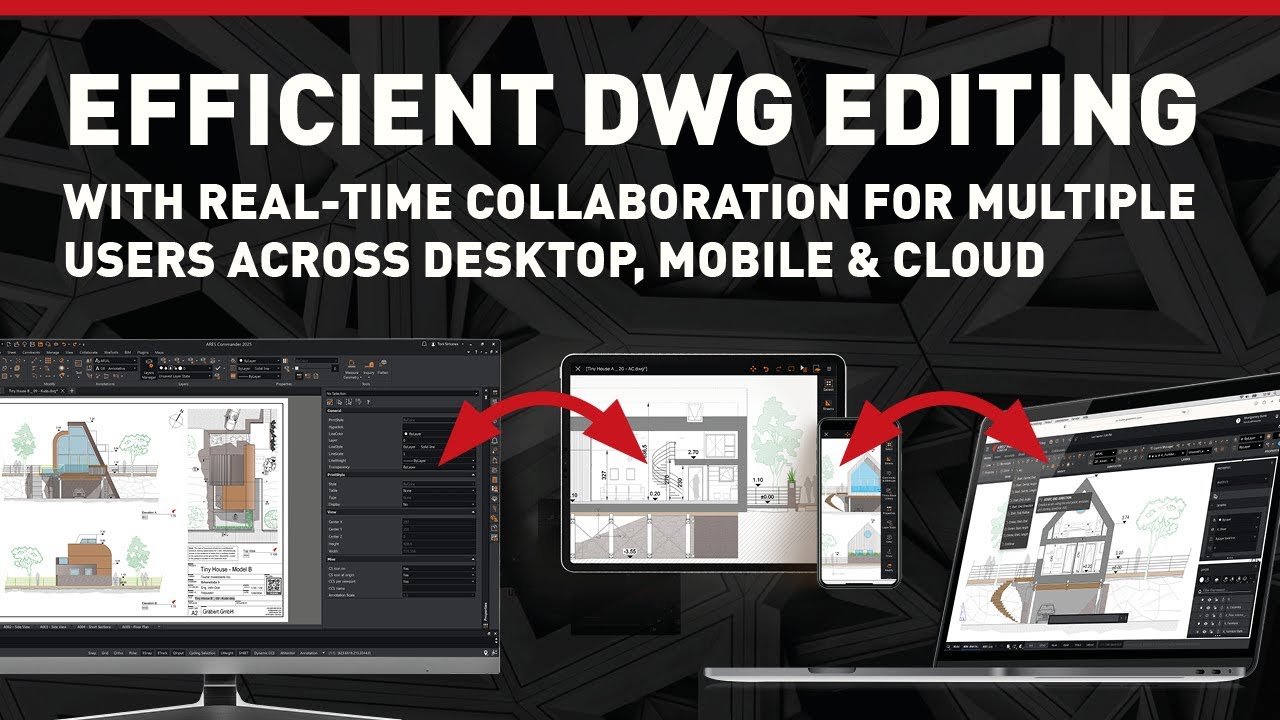
Real-time Collaboration — No Conflicting Changes
ARES Trinity’s modern session handling prevents conflicting changes by allowing one user to edit while others view and comment, with the option to alternate editing sessions for real-time collaboration.
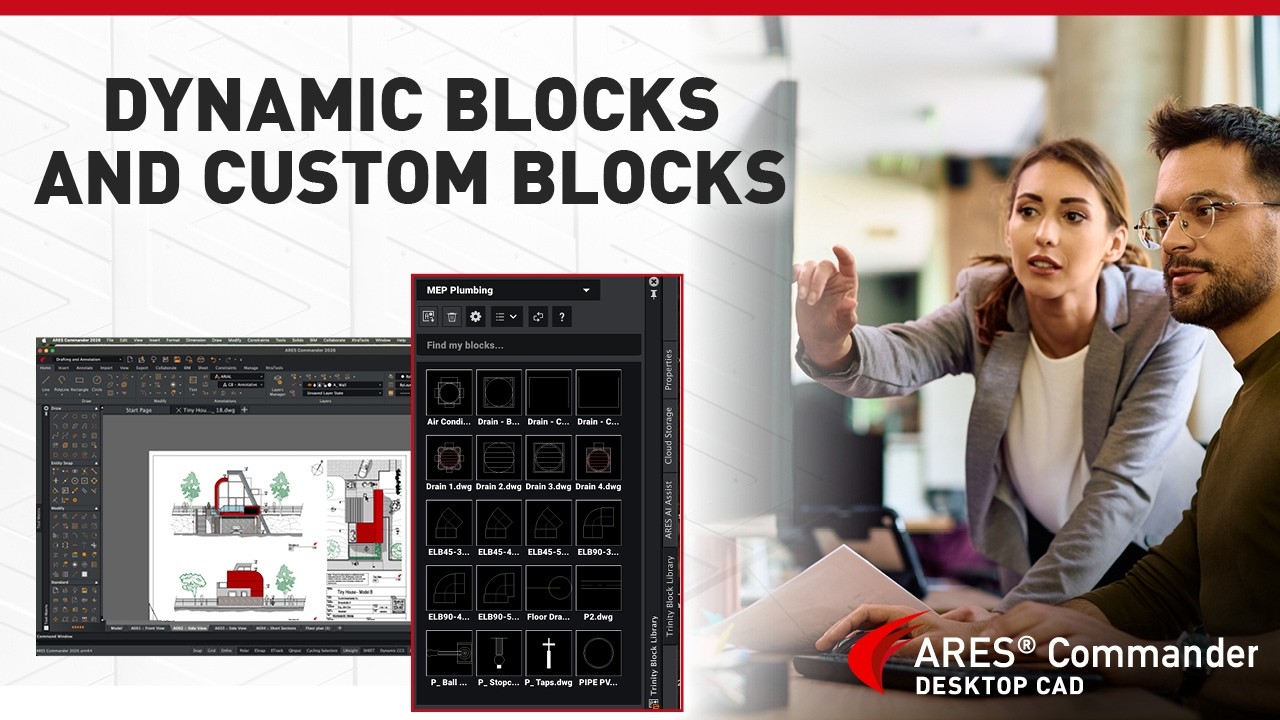
Dynamic blocks & Custom Blocks
Use parametric blocks created in ARES Commander or AutoCAD to work faster and easier. More than 450 dynamic blocks are provided in our Tool palettes and Trinity Block Library.
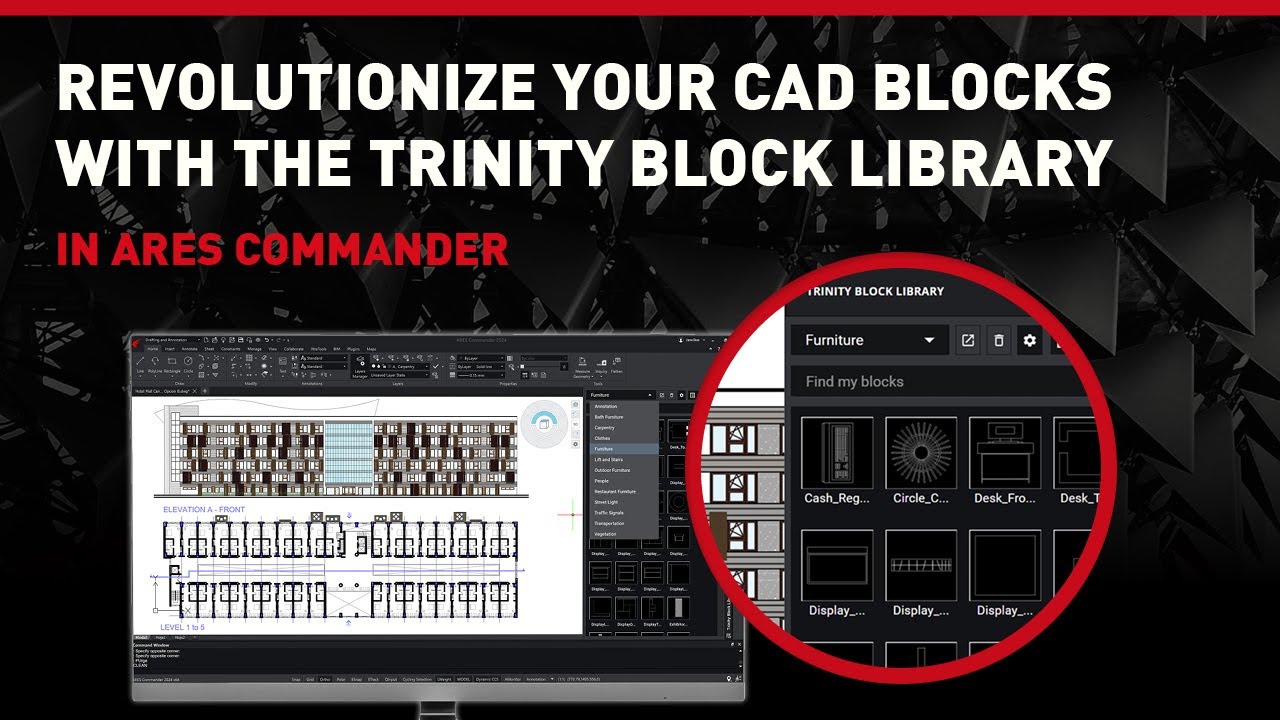
Create Block Libraries to Share Across Your Company
Use the Trinity Block Library to share online block libraries, that can be live-updated across all your users. Alternatively, you can reuse or create Tool Palettes.
Which Version Is Best For You?
See the main differences between ARES Kudo Free, ARES Kudo Professional, and ARES Commander (Desktop CAD) with Trinity
| ARES Kudo Free |
ARES Kudo Professional |
ARES Commander with Trinity Subscription |
|
|---|---|---|---|
| User Profile | |||
| User Profile | Free Viewing & Commenting (Online) | Occasional 2D CAD & Collaboration (Online) | Intensive 2D/3D CAD & Collaboration |
| Price | |||
| Price | Free | From 200€ per year/user |
From 375,00 € per year/user |
| Video | |||
| Video | Watch Video | Watch Video | Watch Video |
| Cloud Storage Integrations | |||
| Cloud Storage Integrations | ✔ | ✔ | ✔ |
| Mobile version (ARES Touch) | |||
| Mobile version (ARES Touch) | ✘ | ✔ | ✔ |
| Work Online (ARES Kudo) | |||
| Work Online (ARES Kudo) | ✔ | ✔ | |
| Work Offline (without Internet) | |||
| Work Offline (without Internet) | ✘ | ✘ | ✔ |
| Viewing & Commenting | |||
| Viewing & Commenting | ✔ | ✔ | ✔ |
| 2D & 3D Viewing of DWG and DXF files | |||
| 2D & 3D Viewing of DWG and DXF files | ✔ | ✔ | ✔ |
| Comments & Markups (Photos, Voice, Stamps) | |||
| Comments & Markups (Photos, Voice, Stamps) | ✔ | ✔ | ✔ |
| Email notifications | |||
| Email notifications | ✔ | ✔ | ✔ |
| CAD features | |||
| CAD features | ✘ | 2D | 2D & 3D |
| Printing & Sharing | |||
| Printing & Sharing | ✘ | ✔ | |
| Advanced Collaboration | |||
| Advanced Collaboration | ✘ | ✔ | ✔ |
| AI & Automation | |||
| AI & Automation | ✔ | ✔ | |
Discover AI & Drawings Automation
to level up your productivity
A3 (ARES AI Assist), your virtual CAD expert, will provide intelligent assistance directly inside your DWG drawings.
ARES Online Drawings Automation lets you automate and batch-process complex or repetitive tasks.

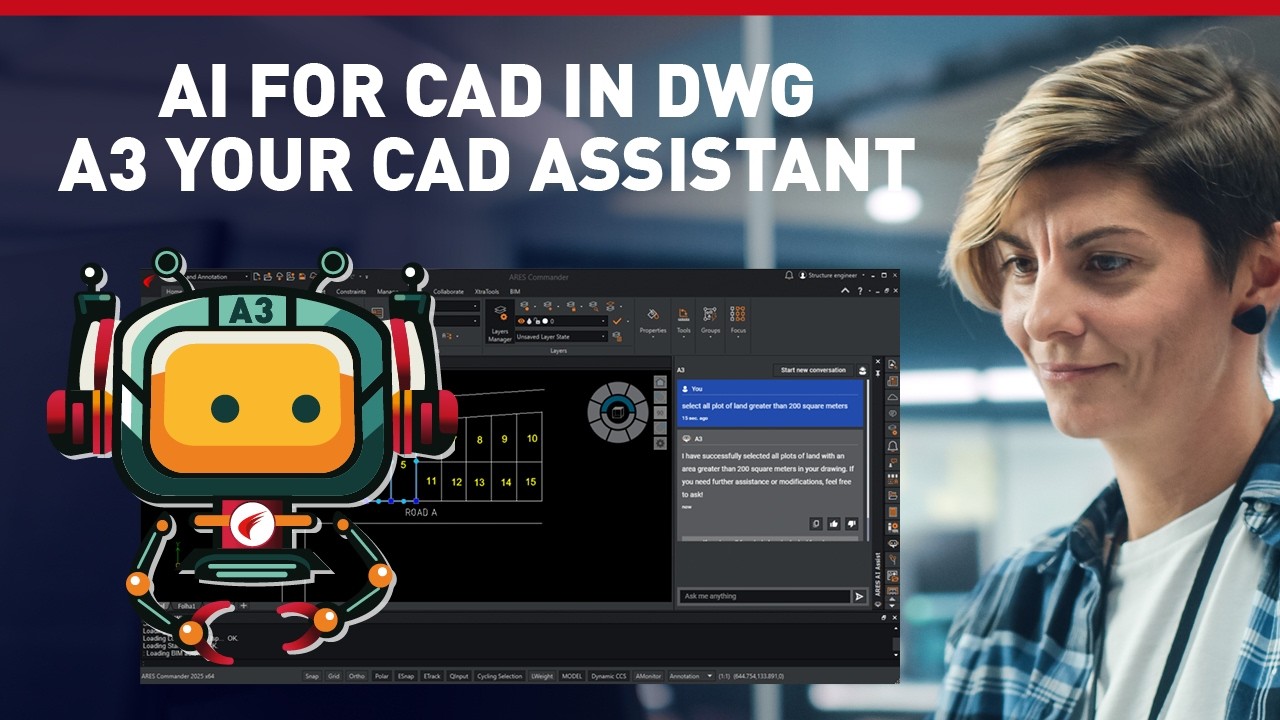
A3: Your AI Assistant for CAD in DWG
ARES AI Assist (or A3 for short) lets you make selections and modifications effortlessly using natural language through its dedicated side palette. A3 understands requests and executes them instantly, making editing and organizing your drawings faster than ever!
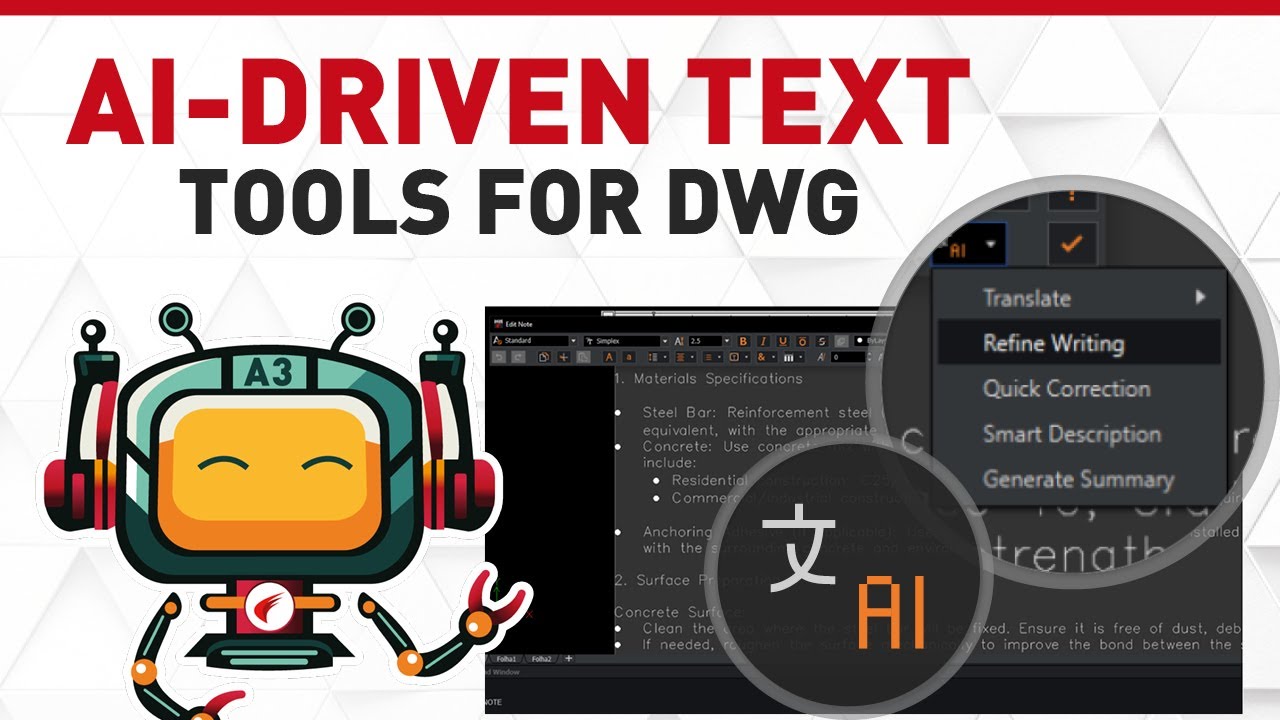
AI-Driven Text tools for DWG to Translate & Improve Texts
Whether you’re editing Mtext, generating summaries, or navigating complex CAD documentation, A3 (aka ARES AI Assist) helps you work smarter and faster. Perfect for architects, engineers, and CAD professionals looking to enhance their design toolkit with smart automation.

Online DWG Drawings Automation for BIM – Auto-Drawings from Revit & IFC with ARES Kudo
Automatically generate 2D floorplans, sections, and elevations from Revit or IFC files with the Automation features in the cloud. Seamlessly process tasks on a powerful, server-based system; batch convert multiple files at once or schedule recurring tasks (e.g. overnight automation with ready-to-use DWG files every morning).
Integrated into your CAD workflow
Your workflow demands a CAD platform that supports all the file formats you use, without any translation complications.
ARES CAD software supports the DWG format natively, so you won’t struggle with missing or mangled data when you open DWG files that were created in AutoCAD. You’re free as well to import and export DXF, PDF, XLS, and many other formats. The files you receive from collaborators, the files you create for clients — ARES CAD software handles them all.

Enabling Modern CAD Workflows
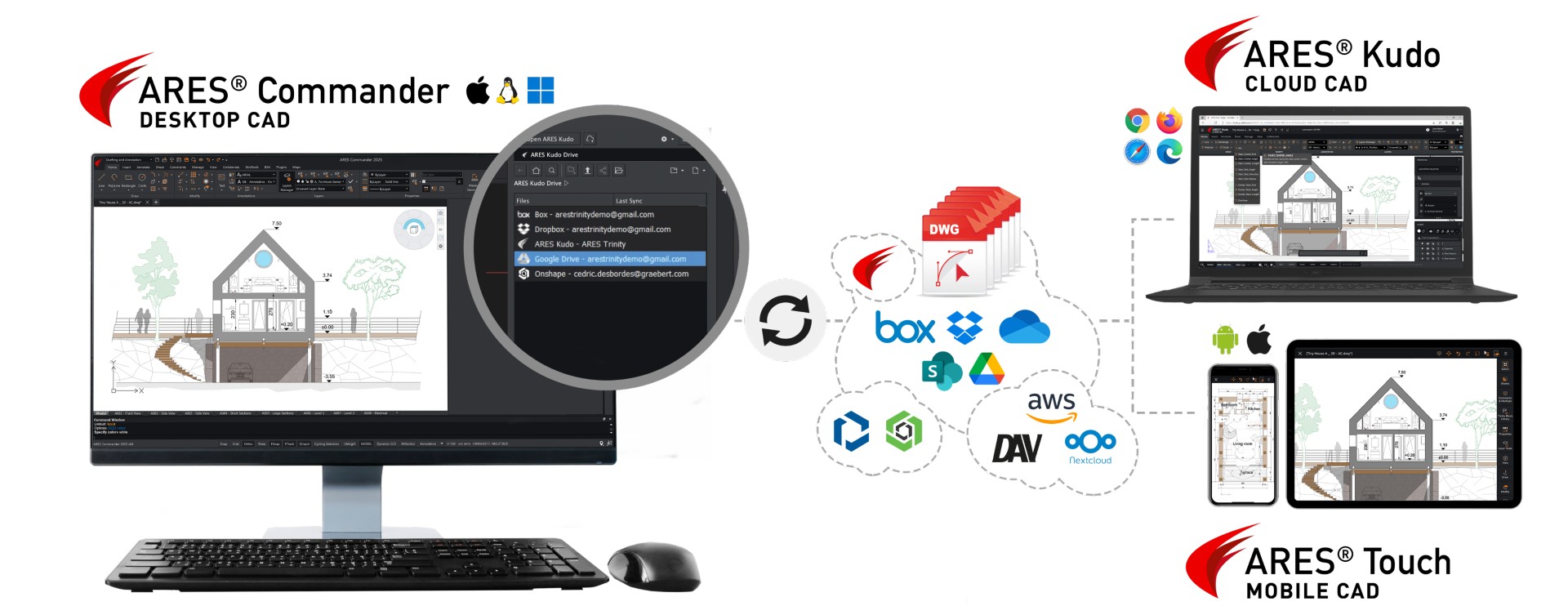

Work offline as well as online ON ANY DEVICE and wherever you want.
KEEP all your DWG Files at your cloud provider of choice.
What our customers say
Cloud CAD in DWG: 2D & 3D
Metrica from Germany (luxury interior design of yachts & residences worldwide), uses ARES CAD Software as the ARES Trinity of CAD Software products support the company in its daily CAD work.

Collect Feedback Online
Nüsing uses ARES CAD software to create technical drawings that document projects and accompany them through to final assembly. An application based on ARES Commander supports technicians and sales with parametric components that are automatically inserted into the drawing.
From Concept to Construction
Ebener GmbH is transforming modern architecture through their innovative and sustainable metal facade solutions. From design to installation, its full-service approach and cutting-edge technology make them the go-to partner for hi-tech facades.
Evaluate the ARES Trinity of CAD yourself
ARES Partner Solutions
for Construction
Snaptrude for ARES Commander
Cloud-based BIM tool for collaborative building design

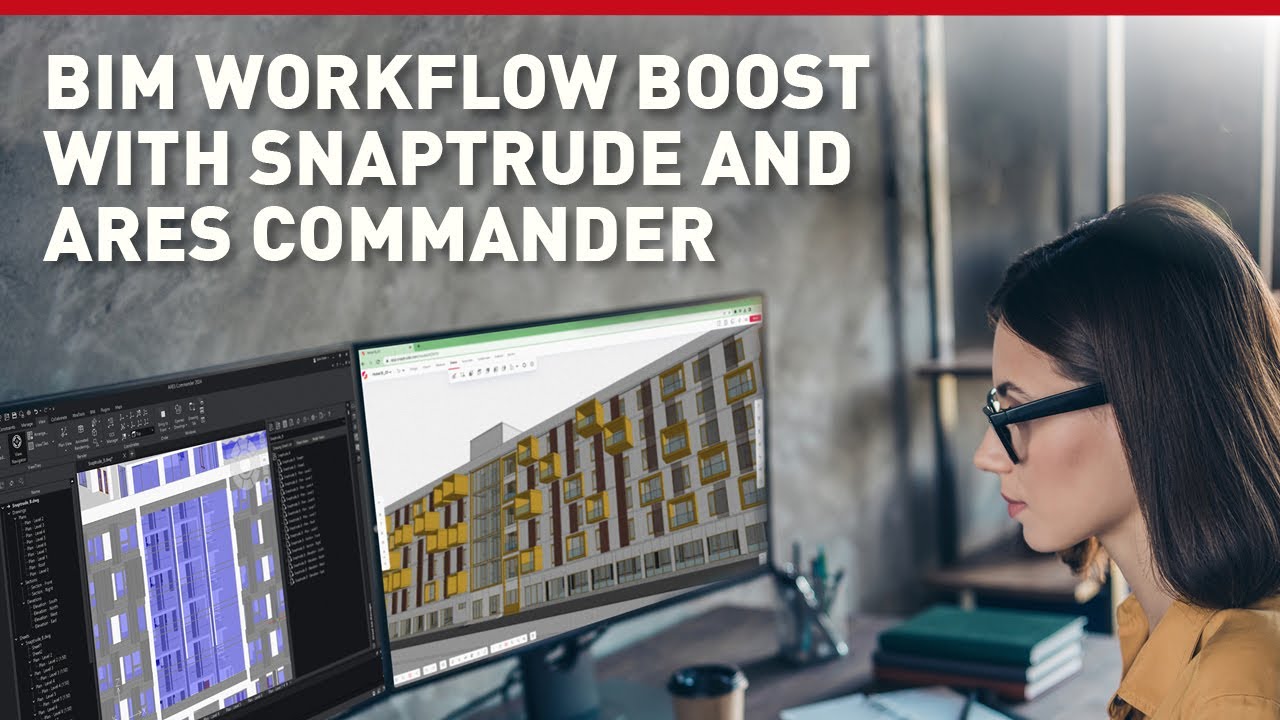
Snaptrude provides real-time multi-user collaboration and generates feedback on building cost, compliance, and climate studies in order to assist users in making well-informed design decisions. Users can now interact in real-time, access real-world data, and create automated bills of quantities thanks to technologies like intelligent automation, parametric design, and smart spaces, which speed up and improve the design process.
UNDET Point Cloud Plugin
Use Point Cloud Data in ARES Commander
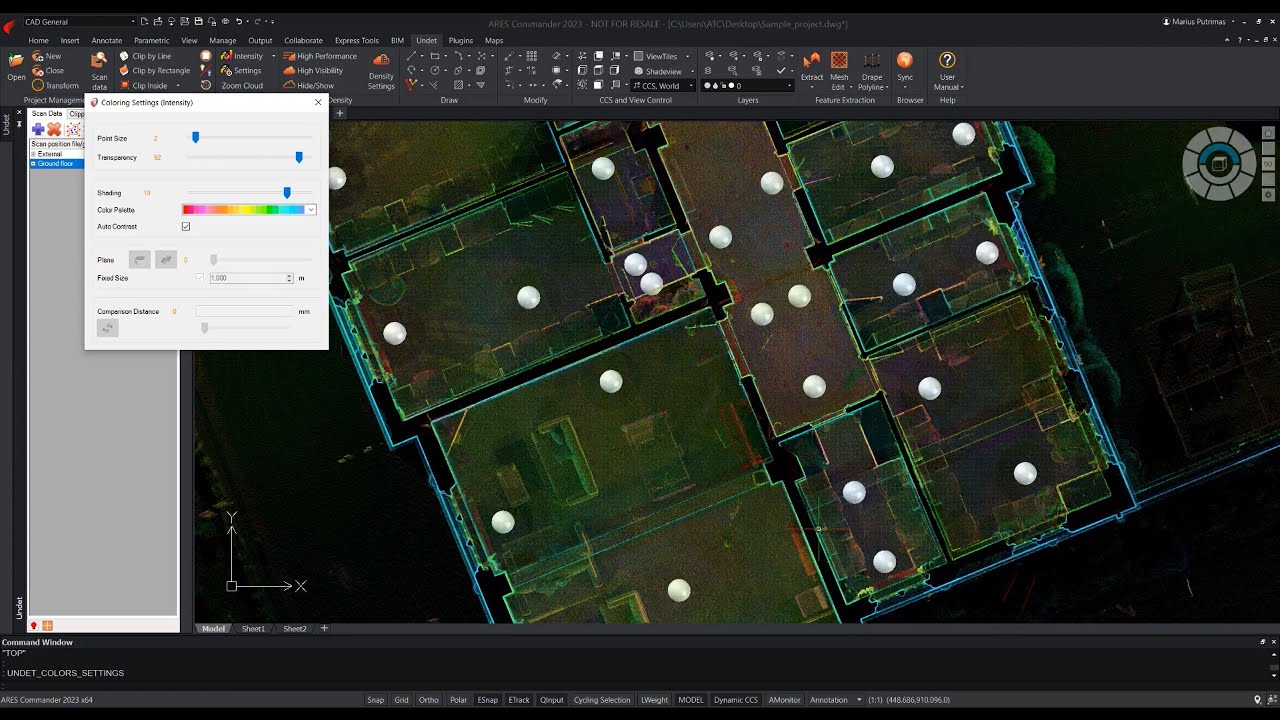
The UNDET Point Cloud Plugin for ARES Commander lets you import and handle point cloud data directly inside the ARES CAD Software.
Frequently asked questions
ARES Commander is available for all of the major operating systems — Windows, MacOS, and Linux — and offers a similar user interface for all three. It is the same license for all three platforms so a same user may have multiple computers with different operating systems and can nevertheless easily switch from one device to another.
When you buy a license for ARES Commander, ARES Kudo and ARES Touch you will create a login and password (the Graebert Account) to authenticate yourself and will assign your license to this login.
Using your Graebert Account you will be able to use your license to log in and log out on any computer or mobile device as long as the license is always used by the same user.
Please note however that it is strictly forbidden to share this login with other users because it would be considered as a security breach for your files and infringement to our licensing agreement.
You can convert PDF to DWG in ARES Commander on your computers and also online with ARES Kudo and on your mobile devices with ARES Touch.
After PDF import in your dwg file, the PDF will be inserted as a block that you can scale and position with accuracy before eventually exploding it to modify it. The import process includes the possibility to rebuild the layers structure on the condition that layers were saved in the PDF file.
Please note that PDF to DWG conversion is for drawings that have been printed to PDF, for example an AutoCAD or ARES drawing saved in PDF. In this case the PDF contains vectors that can be converted back to dwg. In turn, when your PDF is a scan of a drawing your PDF only contains an image and the PDF import will result in an image inserted in your drawing.
Yes, Graebert offers a wide range of pricing and licensing options. Perpetual licenses of ARES Commander are both available for single licenses and as network licenses.
If your interest in Perpetual licenses is to optimize costs, we would invite you also to compare the price of the Perpetual license with the 3-Years Plan.
The Perpetual license will be cheaper if you want to pay only once and are not considering any upgrades or maintenance in the next 4 years.
In turn, the 3-Years Plan will help you to cut costs if you want to keep receiving new features every year, or even once every two or three years. The 3-Years Plan is also cheaper if you are interested in the Trinity, Maps or BIM features because these features are for subscribers only (so you would need to renew the subscription every year).
As a matter of fact, if you compare the cost of Perpetual + maintenance renewal every year, it is always more expensive than a 3-Years Plan every 3 years. This is explained by the fact that the 3-Years Plan is a special price offering 3 years for the price of 2.
To compare the costs you can use this link: ARES Commander – Pricing options
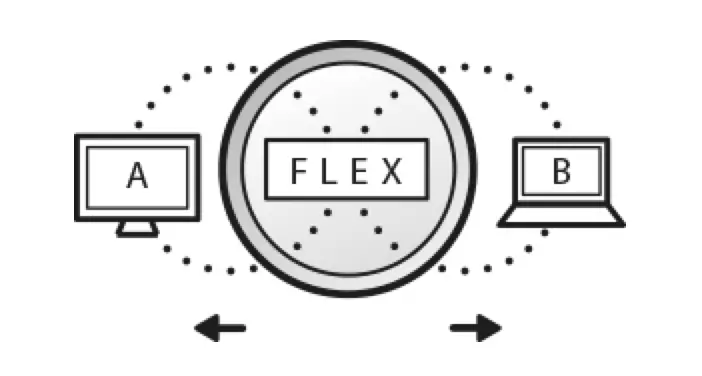
Yes, Graebert is both offering network licenses and a modern evolution of the network license named the Flex Cloud license.
Flex Network licenses (aka “network licenses”) of ARES Commander are similar to the “multi-user” licenses that used to be available for AutoCAD and that are no longer offered by Autodesk. They enable you to buy licenses (minimum 3 seats) that will be shared among multiple users connected to a same local network. The number of simultaneous users is limited by the number of network licenses you have purchased.
Flex Network licenses of ARES Commander are both available as Perpetual or 1 year term licenses, but don’t include the Trinity collaboration features.
Flex Cloud licenses offer the same flexibility to mutualize licenses and cut costs but with a license pool that is in the Cloud. Unlike with network licenses the users no longer need to be in the same location. With a Flex Cloud license you can share licenses also wiht users located in another building, another city, at home or even in another country.
Another key benefit of the Flex Cloud license is to enable the Trinity collaboration features inside ARES Commander. Besides, Flex Cloud users have not only access to ARES Commander but also ARES Kudo and ARES Touch.
Flex Cloud licenses are available as Annual Plan (1 year) or 3-Years Plan. The 3 Years Plan offers three years for the price of two.
To compare the costs you can use this link: ARES Commander – Pricing options
ARES Commander is not limited to 2D CAD drawings. In addition to a comprehensive set of tools for 2D drafting, the software includes tools for 3D CAD with inclusion of the ACIS 3D Solid Modeler to create 3D drawings in dwg format.
You can use 3D solids and perform boolean operations (union, subtract, intersect) but also use push/pull on faces or extrude or revolve 3D entities to make new 3D shapes. Surfacic 3D is also provided, for example meshes or 3D primitive shapes.
For 3D visualization and editing, ARES Commander includes furthermore dynamic CCS (equivalent to dynamic UCS in AutoCAD), 3D view navigator, flatten, snapshot… etc.
Please note however that the 3D features in ARES Commander are to be compared with AutoCAD 3D features. Unlike solutions like Autodesk Inventor, Solidworks, Rhino, PTC Creo or Onshape, ARES Commander is not an advanced 3D parametric modeler.
ARES Commander can natively read and save DWG (Drawing) and DXF (Drawing Exchange Format) files, ensuring full compatibility with AutoCAD and other CAD software programs. In addition, it also supports the DWS (Drawing Standard) and DWT (Drawing Template) file formats.
With ARES Commander, users can import RVT (Revit) and IFC (Industry Foundation Classes) files, combine them if needed, and even automatically generate 2D drawings from them.
ARES Commander is the No. 1 alternative to AutoCAD for both 2D drafting and 3D modeling, providing similar commands and a familiar user interface.
ARES Commander also complements — but does not replace — Revit Architecture, which is a Building Information Modeling (BIM) program designed for collaborative design, visualization, and management of building projects.
Revit contains specialized tools and features for handling complex building systems and data which are not present in ARES Commander, so ARES is not aiming at replacing Revit.
That said, if your company is using Revit Architecture or if you are working with companies using Revit, the BIM drawings features in ARES Commander will enable you to import the Revit projects and automate the 2D drawings in dwg such as floorplans, sections and elevations.
ARES Commander is making no compromises in features and can fully replace AutoCAD (and similar CAD programs).
Most importantly, ARES Commander offers a very easy switch:
– Both AutoCAD and ARES support the same DWG file format,
– Both AutoCAD and ARES feature similar interface elements, and
– Both AutoCAd and ARES include many commands that function identically, with possibility to use the same keyboard commands or shortcuts
ARES Commander is also including many additional features not available in AutoCAD. In turn, the AutoCAD subscription includes access to the specialized toolsets for Architecture, MEP or Mechanical that are not provided in ARES Commander. Mechanical features can be found in ARES Mechanical. If you are using third-party plugins with AutoCAD they may also be exclusively available for this program. This is something we invite you to verify with the developers of the AutoCAD plugins you are eventually using.
To verify that ARES Commander meets your specific needs and workflow requirements, a free 30-day trial is provided enabling you to test all our features in real conditions before purchase.
To compare the ARES CAD software with AutoCAD, and learn more about its competitive advantages we invite you to visit our videos page: Compare ARES vs AutoCAD
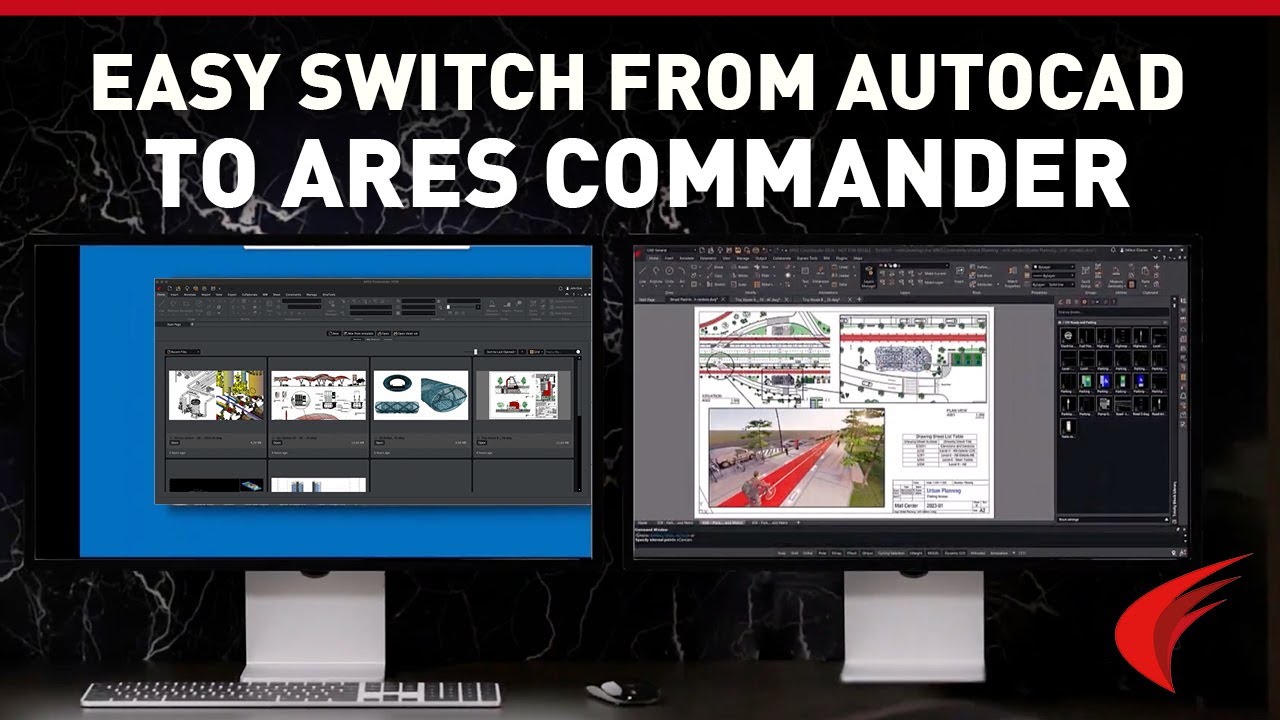
Moving from AutoCAD to ARES Commander, the No. 1 AutoCAD alternative, is an easy switch to make.
On average users with experience in AutoCAD need less than an hour to get used to the few differences. We also provide a 1 hour online course for that purpose:
Introduction for AutoCAD users
ARES Commander is designed to be similar in functionality and operation. And ARES Commander supports the DWG file format (the standard file format used by AutoCAD), so you can open, edit, and save DWG files within ARES Commander without losing data or needing to convert files.
If you know a command by name from AutoCAD you can simply enter it in the command bar of ARES Commander, ARES Kudo or ARES Touch. Even when our command has a different name an alias is defined and the command will launch even if you enter the AutoCAD keyboard command.
The ARES Trinity of CAD software draws on the interconnections between
– ARES Commander (CAD for Desktop)
– ARES Kudo (CAD for Cloud), and
– ARES Touch (CAD for Mobile)
to enable modern collaboration workflows.
Some of the Trinity collaboration features available in ARES Commander, ARES Kudo and ARES Touch include:
– Synchronize your DWG files with Google Drive, Box, Dropbox, Microsoft OneDrive, Trimble Connect, Onshape and also private clouds using WebDAV, AWS S3 or NextCloud
– Secure remote access managing editing or viewing rights for each user and file
– Session handling to avoid conflicting changes
– Version History to see who modified and when + compare versions to see differences
– Comments & markups to share and collect feedback with text, voice, images and stamps
– Email notifications
– View-only links to invite your contacts to view and comment for free online
Trinity features are web-based services and are therefore for subscribers only. In ARES Commander, the Trinity features are included if you have an Annual Plan, a 3 Years Plan, a Flex Cloud license or a Perpetual license with Trinity subscription. The Trinity features are also available in ARES Kudo and in the Mobility Pack combining ARES Kudo and ARES Touch. If you need to check whether you have access to ARES Kudo or to manage your license, you can connect to the Graebert Customer Portal, where a Graebert account is required.
To learn more about the Top 10 benefits offered by the ARES Trinity features you can watch this video:
ARES Trinity’s Top 10 Advantages – Expert Product Review by Architosh
Prior to download we invite you to start by creating your Graebert Account. This login and password will be used to identify yourself on all your Graebert products, including the free 30 day trial.
It is the same trial to test simultaneously ARES Commander, ARES Kudo and ARES Touch.
After creating your Graebert Account, or if you already have one, you can:
– Download ARES Commander and install it on your computer
– Launch ARES Kudo from your Internet Browser
– Install ARES Touch on your Android smartphone, tablet, iPhone, iPad…
Testing our CAD software is the best way to understand how it can work for your particular needs.
Feel free to use the provided test files or your own CAD files in this testing period.
There are multiple ways to access free viewing functionality in ARES CAD software.
– First of all, you can start a free trial of ARES Kudo and enjoy all its features, including editing, for 30 days. After your trial expires, you can keep using it as a free viewer.
– Likewise, you can install ARES Commander and keep using it as a viewer after the free trial expires.
– For smartphones and tablets, you can install ARES Touch, as the free version includes viewing and dimensions.
Last but not least, users with a valid license of ARES Kudo or ARES Commander can invite external users to view and comment on DWG files for free by creating a view-only link from ARES Commander or ARES Kudo. This is a Trinity feature, and therefore these links can only be generated by subscribers — but the shared drawings can be accessed by anyone.
ARES Commander is a professional CAD software program that provides a wide range of features for various disciplines, including architecture. In addition to its robust 2D drawing and 3D modeling toolset, ARES Commander includes also unique features to automate the creation of 2D floorpans, sections and elevations in DWG format for BIM projects which make it the ideal architectural drawing software program.
For example, ARES Commander enables CAD users to import, visualize, and filter Revit or IFC files before generating DWG drawings, whose geometry can be automatically updated whenever the BIM project is modified.
In addition, ARES Commander supports DWG natively, without any import or export, enabling maximum compatibility with other CAD software, and it allows for collaboration with other professionals in the field leveraging the Trinity collaboration features.
For interior designers who need CAD software to generate architectural drawings and 3D models, ARES Commander is an ideal choice. For example, precision 2D drafting tools help users draw furniture layouts and fittings, while 3D representations of designed spaces support better visualization of project spaces.
Users can also import BIM projects and extract 2D drawings — such as floor plans — then save them in DWG format. With the BIM Drawings Automation features, this process can generate drawings, insert smart labels, add smart dimensions, and create sheets — all automatically.
ARES Commander also supports DWG and other widely used file formats, ensuring easy exchange of files with clients and collaborators who might use different CAD applications.
Rather than drawing layouts, sections, elevations, blueprints, and other technical drawings with pencil and pen, today’s architects and interior designers often rely on CAD software to create these drawings as DWG files. DWG is a common file format for storing 2D and 3D design data and metadata. It is also the native file format for ARES Commander and many other CAD programs, including AutoCAD.
In architecture and interior design, CAD software and DWG files are used for:
1. Creating detailed and precise architectural plans.
2. Visualizing designs in 2D or 3D, enabling better spatial understanding and planning.
3. Making quick changes to designs, as opposed to the time-consuming process of altering hand-drawn plans.
4. Sharing and collaborating on designs with other professionals, since DWG files are widely supported and can be exchanged easily.
5. Generating documentation, such as detailed drawings and specifications that can be used on the construction site.
6. Archiving designs in a digital format that is widely recognized and can be readily accessed in the future.
BIM (Building Information Modeling) is popular for architecture because
– it fosters collaborative workflows
– centralizes and integrates data from a diverse array of contributors into a single model
– and helps stakeholders make better use of project data over the entire life of the asset, from concept to demolition.
It can also improve efficiency by providing quick access to building information, and minimize costly changes by automatically detecting potential issues in the design phase.
However, the workflow between BIM software and CAD software is often full of wasteful redundancies. ARES Commander’s BIM-centric features overcome these problems, applying automation and leveraging the intelligence contained in BIM objects to help CAD users create smarter DWG drawings.
ARES Commander can save users time by automating the creation of 2D DWG drawings from BIM projects. The BIMAutoDrawings command can automatically generate all necessary 2D DWG drawings, such as floorplans, sections, and elevations. Each drawing created from the same BIM model is stored in a separate DWG file, and retains all the BIM information.
And thanks to the enduring link between the original BIM project and the DWG files created from its data, these drawings can simply be updated, instead of recreated, whenever changes are made to the BIM project. Any CAD geometry that the user has added remains in the drawings, and features such as labels are automatically updated, along with the BIM geometry.
Graebert provides technical support and training for ARES CAD software users in many ways, including:
– free online courses through the Graebert Academy
– a Help Center that offers manuals
– Tutorials, and other resources
– a YouTube channel
Graebert also offers a customer service to assist users with any questions or issues that may arise.
Explore More Inside Our Blog
How to Run 2D CAD Smoothly on a Laptop
2D CAD workflows on laptops with the right specs and...

Share CAD Drawings Securely with View-Only Links
Learn how to share DWG-format CAD drawings easily and efficiently...

How to Convert DWG to PDF: A Quick Guide for CAD Beginners
Discover when and why you should convert CAD data to...