STAY TUNED!
Subscribe to our newsletter and get the 600+ pages eBook Inside ARES:


Architosh about Graebert Annual Meeting 2014 “Graebert of Germany is one of the most important CAD technology companies in the world and we feel fortunate to have been asked to attend, among a small cadre of CAD journalists, the annual meeting event in Berlin” – Pete Evans AIA, Senior Associate Editor, for Architosh. Read full article on architosh.com

Desktop Engineering about the Evolution of Mobile CAD “The most promising use of mobile apps at the present appears to be for work crews in remote locations. (…) ‘To measure buildings, we need to be extremely mobile — enough to be able to climb ladders, jump and down, and keep both hands free’, Graebert’s Prinzen points out. ‘You can’t do that with a laptop.’ (…) In environments where a laptop is a burden and a desktop is nearly impossible to operate — such as on construction projects, survey sites or plant floors — mobile apps and mobile devices are breaking new ground“, says Kenneth Wong for Desktop Engineering. Read the full article on deskeng.com

WorldCAD Access blogs about Graebert Annual Meeting 2014 “Second only to AutoCAD: 2,918,786 DraftSight users”, states Ralph Grabowski for WorldCAD Access. Read full article on WorldCADaccess.com
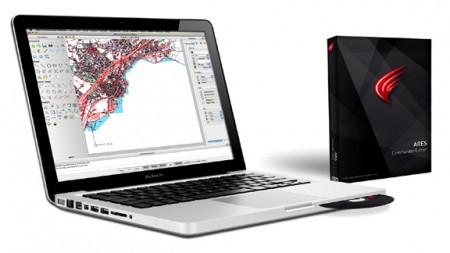
Graebert Announces ARES Commander 2015 for Windows, Mac, and Linux Berlin – Graebert™ GmbH – the pioneer in developing high-performance CAD solutions across desktop and mobile devices – today announced the November availability of its acclaimed ARES™ Commander 2015 2D/3D CAD package on all three desktop operating systems: Microsoft® Windows®, Apple® Mac® OS X™ and Linux®. Read the Press Release
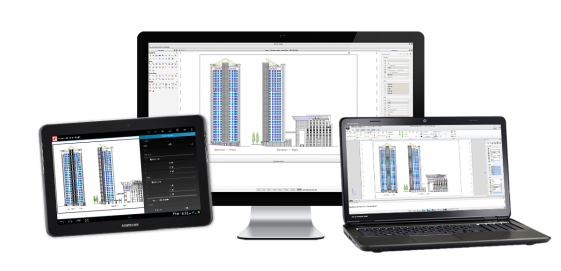
Graphic Speak covers the release of ARES Commander 2015 and ARES Touch “With more than millions of active users, Graebert has become a considerable force in DWG-compatible drafting. Graebert GmbH today announced its 2015 product line-up, which extends the triple-OS ARES Commander desktop CAD platform to the Android mobile OS”, says Randall Newton for Graphic Speak. Read full article on gfxspeak.com

Join Graebert at the INTERGEO Expo and Conference in Stuttgart, Germany, from September 24-26, 2024! Discover our innovative ARES Trinity of CAD solutions for Desktop, Mobile, and Cloud. Visit us at Hall 1, Booth K1.034 for live demos, expert consultations, and to learn how to enhance collaboration on your DWG projects. Don’t miss this opportunity to revolutionize your workflow! Book your appointment here. We look forward to seeing you!

Welcome to this video introducing license to go the key new feature ARES commander edition Service Pack 2. ARES commander edition is deep only DWG based cat software available for Windows Mac and Linux we deliver a product key and you decide which is your favourite operating system but some customers ask us for more, they want to work from different computers may be under different operating systems and pay for only one license indeed most professionals are now working with different computers at the office at home or on the go this is what license to go is about. Graebert is introducing to you the Cross-Device CAD experience, first to activate your license on your main computer license to go will allow you to work from other computers without uninstalling the main license let’s have a closer look, this feature is for any user who has a perpetual license or
The 2014 version of ARES Commander Edition, celebrates Graebert’s 30 years of innovation and expertise of CAD. More than just a high-productivity and cost-effective alternative to AutoCAD, Graebert’s CAD technologies are used by nearly 5 million of professionals in more than 100 countries and ARES Commander Edition is the third generation of our CAD software formerly known as FelixCAD and PowerCAD. To learn more about ARES Commander, visit our Youtube Channel: GraebertTV

Glada Ground, Opp. Vardman Mill Chandigarh Road, Ludhiana, India

January 26-29, 2014 Hall E, booth P2 San Diego, California

Did you know that ARES Touch, our mobile DWG Viewer & Editor, is available for both Android and iOS?