STAY TUNED!
Subscribe to our newsletter and get the 600+ pages eBook Inside ARES:


Amit Kumar works with ARES Touch Interface in CADBlogbyamit “This blog post is to give you idea about working interface of ARES Touch. CAD on mobile is a very new concept and is going to have a revolution in the CAD field. This will give us the flexibility to create and edit CAD drawing.” Read more about the Interface on CADblogbyamit.

Ralph Grabowski from WorldCAD Access remarks on ARES Touch “ARES Touch is the only mobile CAD program that endeavors to pack in a complete set of drawing and editing functions on a tablet. Not only is it command-rich, but it hosts third-party customization, something not even Autodesk has attempted” Read the full article on World CAD Access here.
Ralph Grabowski from WorldCAD Access talks about ARES Touch “While most CAD apps for mobile are severely limited in their drawing and editing, Graebert is working through every single command in ARES for desktop, and seeing how to adapt them to the tablet environment” Read the full article on World CAD Access here

Anthony Frausto-Robledo from Architosh talks about ARES Touch “A preliminary version of ARES Touch for iOS revealed at the Graebert Annual Meeting. It’s expected to hit the market in 2016 and be as powerful as ARES Touch for Android” Read the full article on Architosh here
Ralph Grabowski from WorldCAD Access talks about ARES Touch “Graebert GmbH is now the first CAD vendor that will be providing a drafting program on all viable platforms, says Ralph Grabowski. The platforms include: • Android • iOS (iPhone and iPad) • Linux desktop • OS X (Macintosh) • Web browser (OS-independent) • Windows desktop” Read the full article on WorldCADAccess here
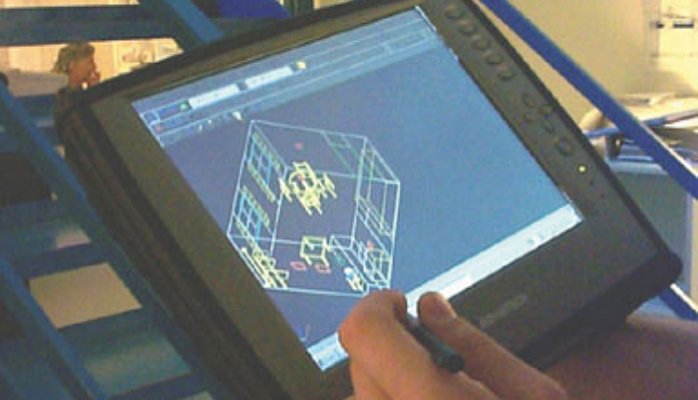
CEO Wilfried Gräbert Reveals His Secret By Pascal de Lacaze-Duthiers, Online Community Manager at Graebert GmbH. Full CAD for mobile didn’t exist. Still: The moment Microsoft launched its mobile OS in the year 2000, Graebert was the first company to have a mobile CAD solution for Windows CE®. And last year Graebert announced ARES Touch, the most advanced CAD software for Android® “A curious young business student once asked me how I manage to compete against the big CAD companies and survive”, remembers CEO Wilfried Graebert the time when mobile CAD was still in its infancy (or should we say embryonic period). “I told him my secret: I first study the development of a technology and then foresee its possible evolution in the coming years. Based on these assumptions I develop product ideas for the future – and start developing them in the present. Once the technology is there, we have the
Ralph Grabowski speaks about ARES Touch in upFront.eZine “Graebert with ARES Touch- endeavors to pack in a complete set of drawing and editing functions (Android only)” Read the full article on upFront.eZine
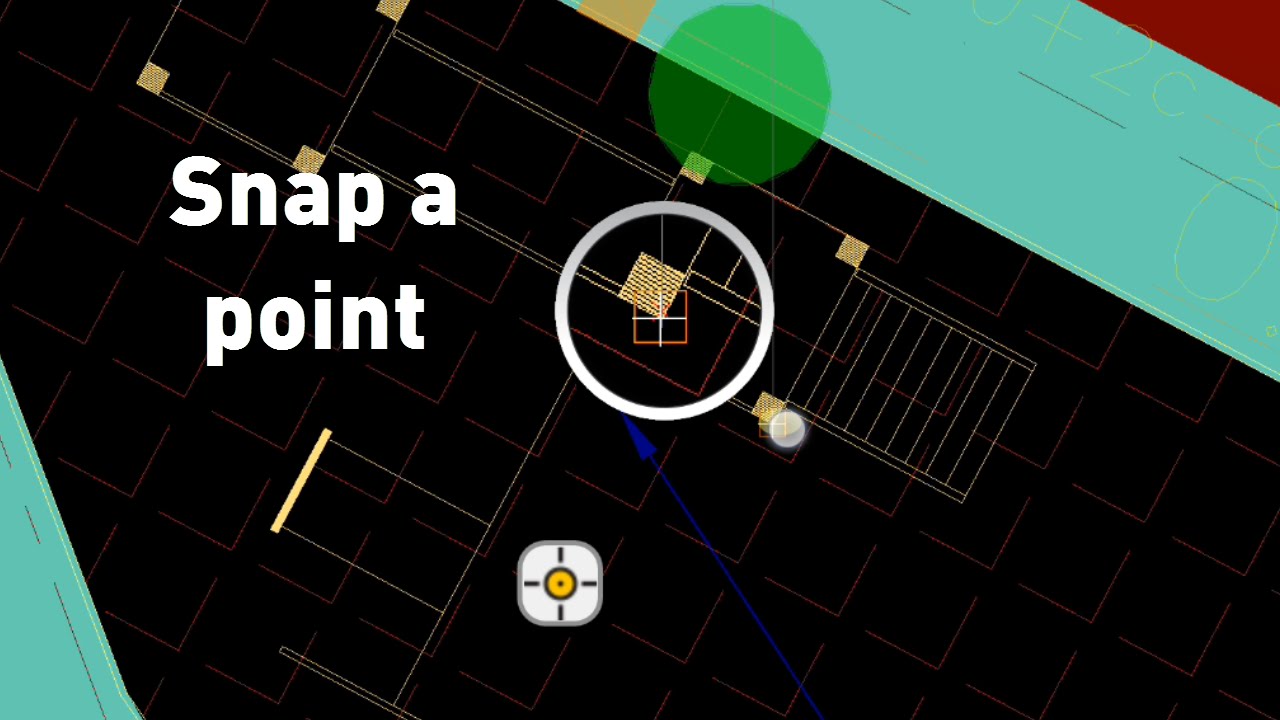
Create & modify drawings with high accuracy 1 00:00:02,580 –> 00:00:09,230 ARES Touch offers you all the professional tools to create or modify drawings with high accuracy. 2 00:00:09,500 –> 00:00:13,260 Hold your finger on the screen when a drawing command is in use, 3 00:00:13,560 –> 00:00:17,540 and the Loupe will pop up to help you SNAP to points. 4 00:00:18,140 –> 00:00:21,851 The SNAP is like a magnet to select points with precision. 5 00:00:22,280 –> 00:00:26,740 Entity snap types can be defined from the Application Menu. 6 00:00:26,980 –> 00:00:32,540 If you don’t need accuracy you can also simply tap the screen to pick points. 7 00:00:32,860 –> 00:00:36,960 The options bar displays similar options as on the desktop. 8 00:00:37,220 –> 00:00:39,760 You can for example CLOSE the polyline. 9 00:00:40,20 –> 00:00:44,660 In the Action bar on the top, you will find the shortcut to

Capturing entities 1 00:00:03,300 –> 00:00:06,589 To select entities, you may simply tap on them. 2 00:00:08,000 –> 00:00:11,820 To unselect all, you can tap on FINISH. 3 00:00:15,100 –> 00:00:17,990 Now let’s see how to use selection windows. 4 00:00:18,300 –> 00:00:20,660 Hold your finger on screen without moving. 5 00:00:20,860 –> 00:00:27,259 If no command is launched, it will start the selection window. Then move your finger to the opposite corner. 6 00:00:27,420 –> 00:00:31,580 If you go from the right to the left, the window is green. 7 00:00:32,540 –> 00:00:37,860 This window will capture the entities inside AND partially inside. 8 00:00:38,900 –> 00:00:42,260 If you go from the left to the right, the window is blue. 9 00:00:42,560 –> 00:00:46,460 And only the entities completely inside will be selected. 10 00:00:46,680 –> 00:00:52,480 By default the selection is in the ADD mode to add entities

Amit Kumar from CADblogbyAMit speaks about ARES Touch “Mobile is eating the world, so they say. So why is there no full-featured CAD on a mobile device? Vendors have been offering a lot of reasons that sound like whining. Finally Graebert GmbH — decided enough is enough and went to work on a stand-alone mobile CAD app.” Read the full article on CADBlogbyAmit here.

Did you know that ARES Touch, our mobile DWG Viewer & Editor, is available for both Android and iOS?