STAY TUNED!
Subscribe to our newsletter and get the 600+ pages eBook Inside ARES:


Block with Attributes ExplodeBlockX is one of the new commands of ARES Commander. With this new feature, you can explode a block with attributes and convert attributes in the text. 1 00:00:09,220 –> 00:00:12,719 During a project, we sometimes use a block with attributes. 2 00:00:12,960 –> 00:00:18,740 ARES Commander 2015 allows us to edit these blocks without losing the content. 3 00:00:18,860 –> 00:00:21,700 Here, for example, there is a block with attributes. 4 00:00:22,100 –> 00:00:25,780 We can select the block and reposition the attributes. 5 00:00:33,50 –> 00:00:37,250 And we even have a grip that will allow us to reposition the block. 6 00:00:38,329 –> 00:00:42,9 We can also change the content of a block with attributes. 7 00:00:42,580 –> 00:00:44,739 Simply double click it. 8 00:00:45,290 –> 00:00:50,170 The attribute values appear with which we can make the changes we need. 9 00:00:50,540 –> 00:00:54,600 For
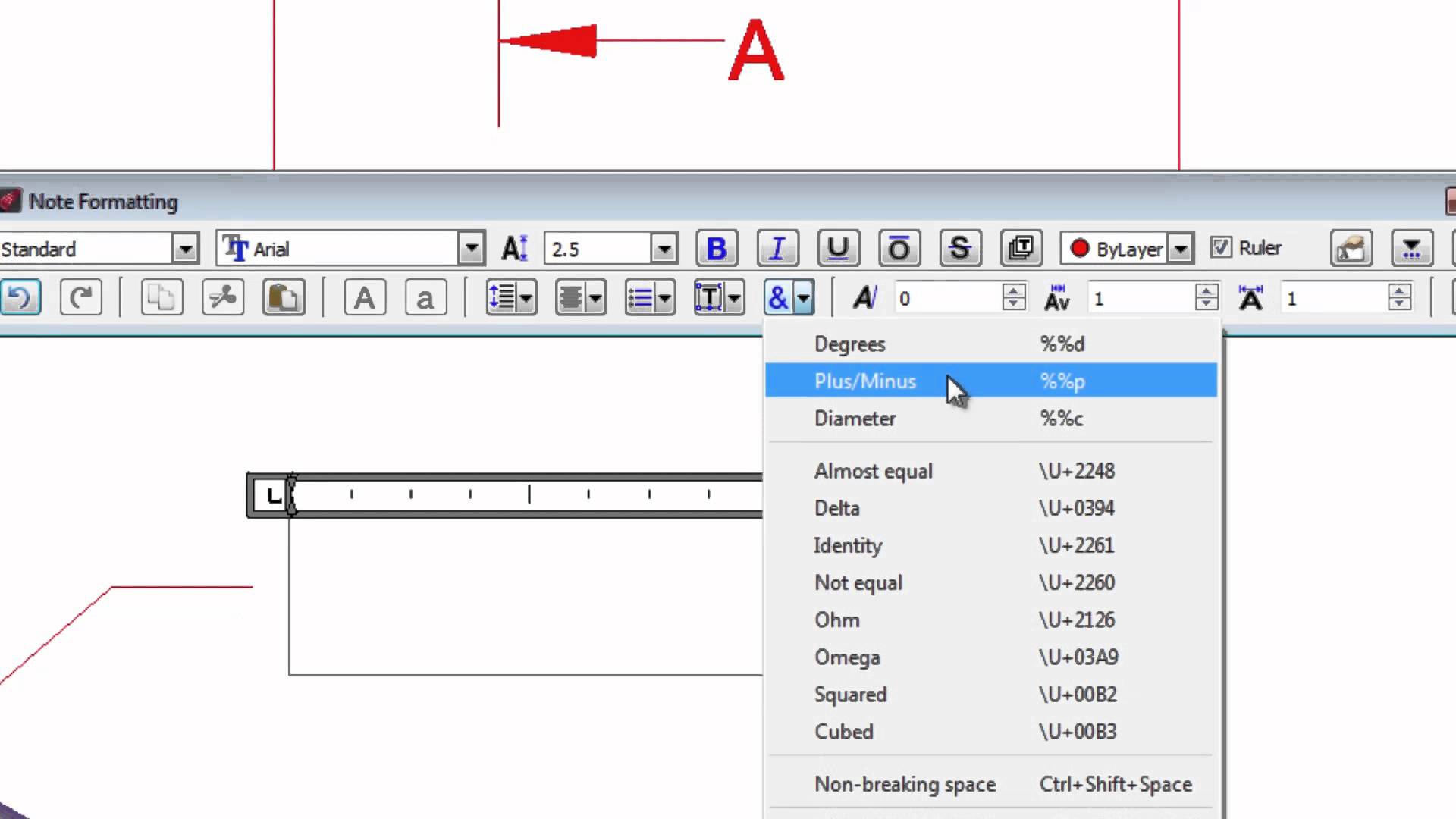
Editing Text in Drawings In-place Text Editing is one of the new features of ARES Commander 2015. With this new text editor, you can now edit texts like in a word processor. 1 00:00:08,840 –> 00:00:12,580 Create and edit text very easily in your drawings 2 00:00:12,580 –> 00:00:16,900 thanks to the tools offered by Ares Commander 2015. 3 00:00:16,900 –> 00:00:20,288 To edit a text, we can for example double-click 4 00:00:20,840 –> 00:00:22,420 and this editor opens. 5 00:00:22,680 –> 00:00:25,140 Its tools are similar to a word processor 6 00:00:25,620 –> 00:00:31,000 where we can select the text and convert it into uppercase or lowercase. 7 00:00:31,380 –> 00:00:36,100 We can even select several letters and convert to uppercase very easily. 8 00:00:39,000 –> 00:00:41,720 We can also select and change the color, 9 00:00:43,560 –> 00:00:47,320 convert to “Bold”, “Italic” or “Underlined”. 10 00:00:48,240 –>
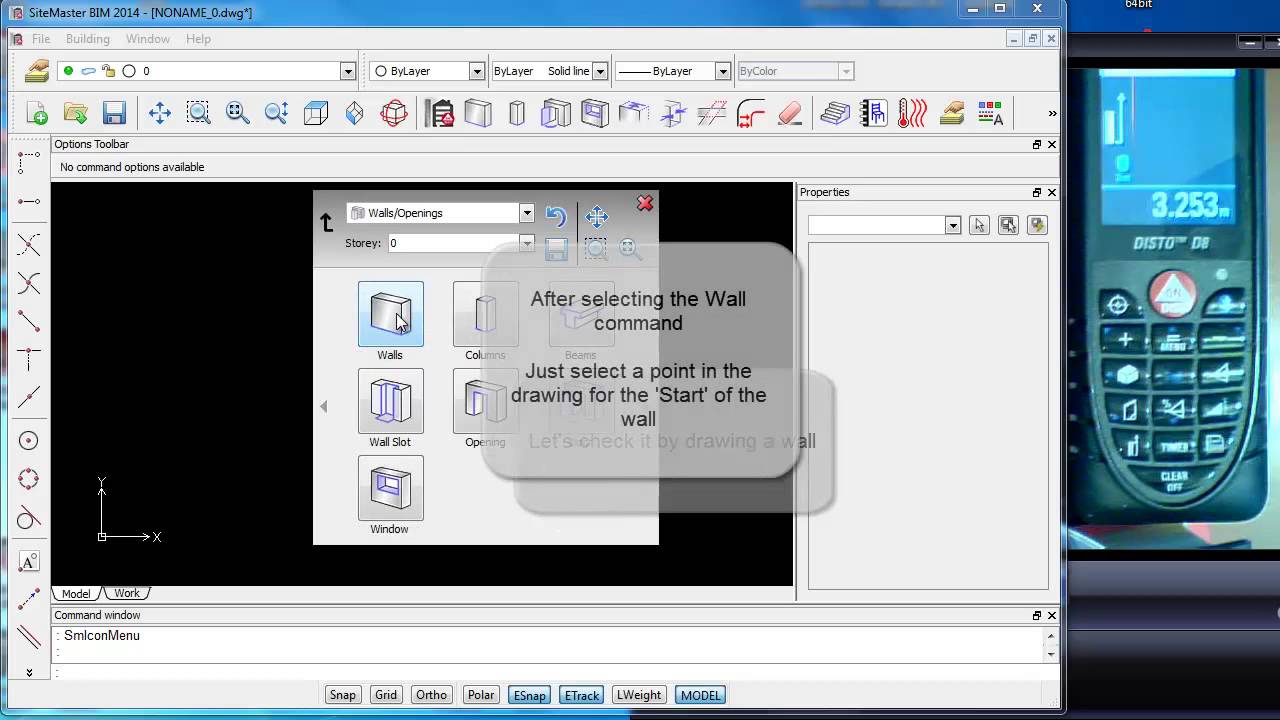
SiteMaster BIM is a surveying solution to create in the most efficient and accurate way on-site as-built 2D floorplans and/or 3D building designs in DWG directly and automatically from the measures taken with your laser distance meter. This video explains how to connect your Leica Disto laser device with the software. Our solution can be run on any Windows computer or more interestingly on a Windows tablet you can eventually wear as a watch (eg on a 8″ tablet). The distances and angles are sent by bluetooth from the distance meter which allows you to draw very fast and with high accuracy. To learn more about SiteMaster BIM, visit our Youtube Channel: GraebertTV
SiteMaster BIM is a surveying solution to create in the most efficient and accurate way on-site as-built 2D floorplans and/or 3D building designs in DWG directly and automatically from the measures taken with your laser distance meter. This video explains how to change the tests and fonts in the software. Our solution can be run on any Windows computer or more interestingly on a Windows tablet you can eventually wear as a watch (eg on a 8″ tablet). The distances and angles are sent by Bluetooth from the distance meter which allows you to draw very fast and with the highest accuracy. To learn more about SiteMaster BIM, visit our Youtube Channel: GraebertTV

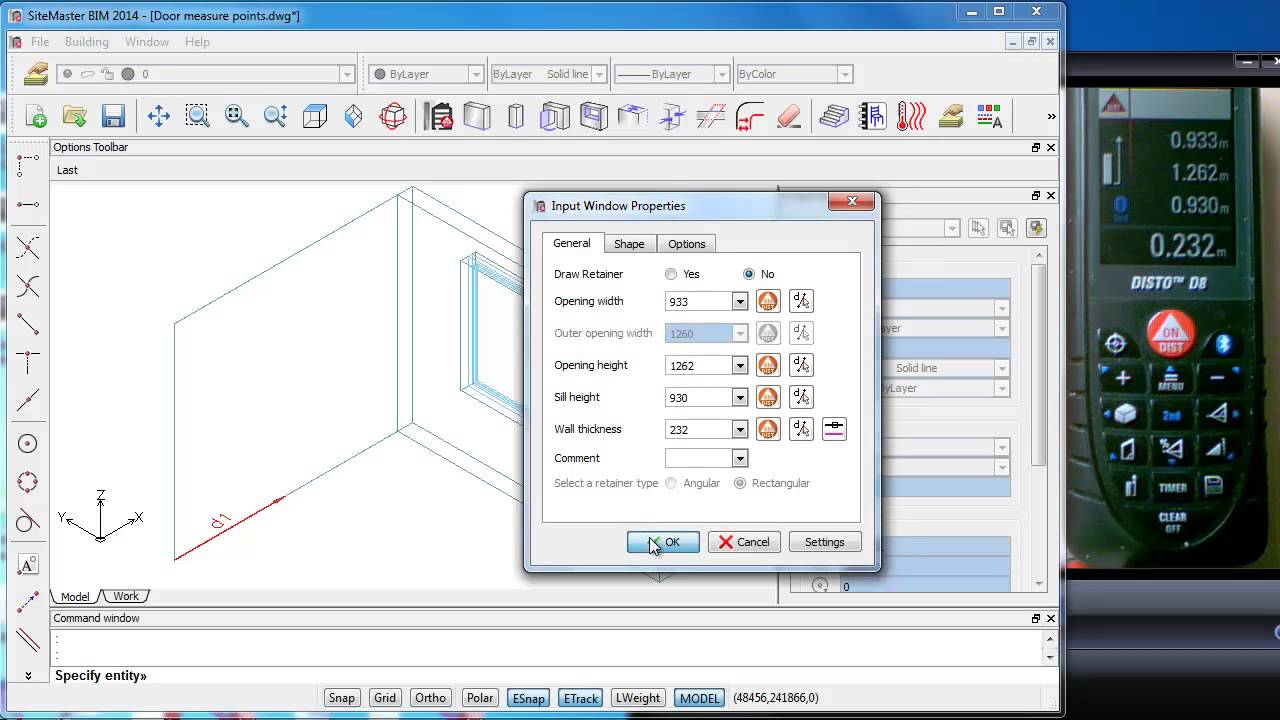
SiteMaster BIM is a surveying solution to create in the most efficient and accurate way on-site as-built 2D floorplans and/or 3D building designs in DWG directly and automatically from the measures taken with your laser distance meter. This video explains how to change window properties in SiteMaster BIM. Our solution can be run on any Windows computer or more interestingly on a Windows tablet you can eventually wear as a watch (eg on a 8″ tablet). The distances and angles are sent by Bluetooth from the distance meter which allows you to draw very fast and with the highest accuracy. To learn more about SiteMaster BIM, visit our Youtube Channel: GraebertTV
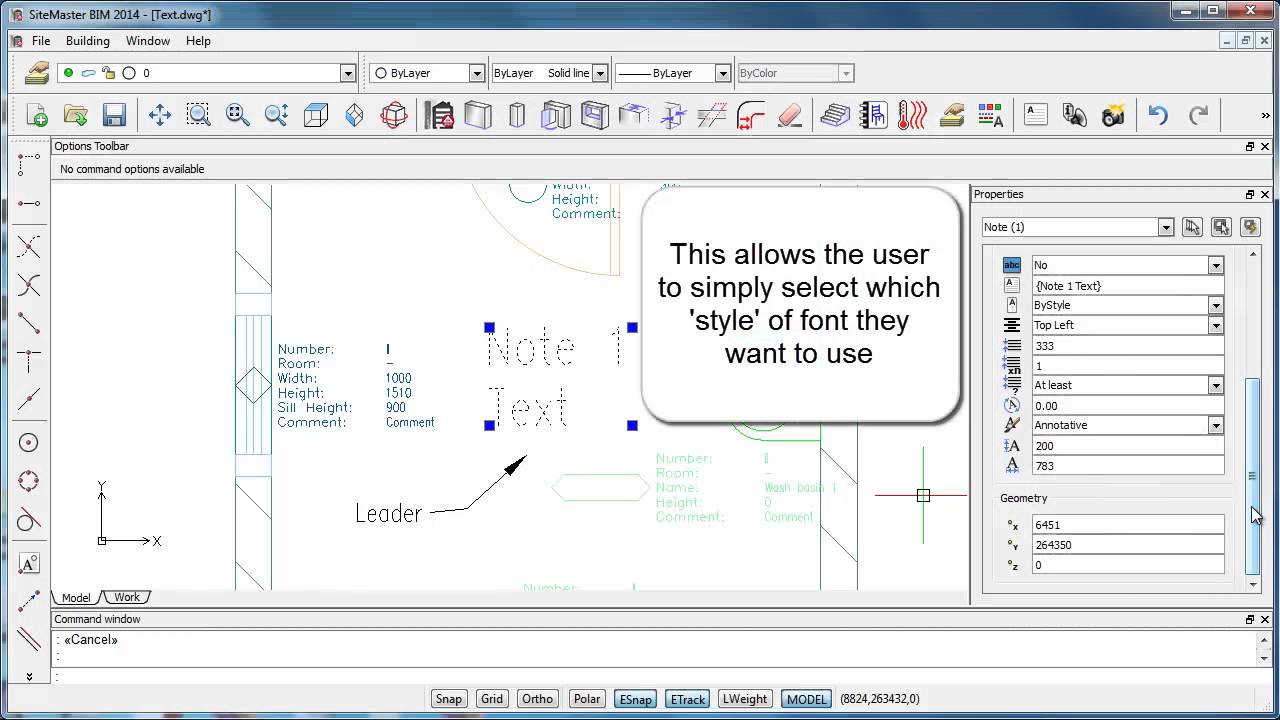
SiteMaster BIM is a surveying solution to create in the most efficient and accurate way on-site as-built 2D floorplans and/or 3D building designs in DWG directly and automatically from the measures taken with your laser distance meter. This video explains how to change the tests and fonts in the software. Our solution can be run on any Windows computer or more interestingly on a Windows tablet you can eventually wear as a watch (eg on a 8″ tablet). The distances and angles are sent by Bluetooth from the distance meter which allows you to draw very fast and with the highest accuracy. To learn more about SiteMaster BIM, visit our Youtube Channel: GraebertTV
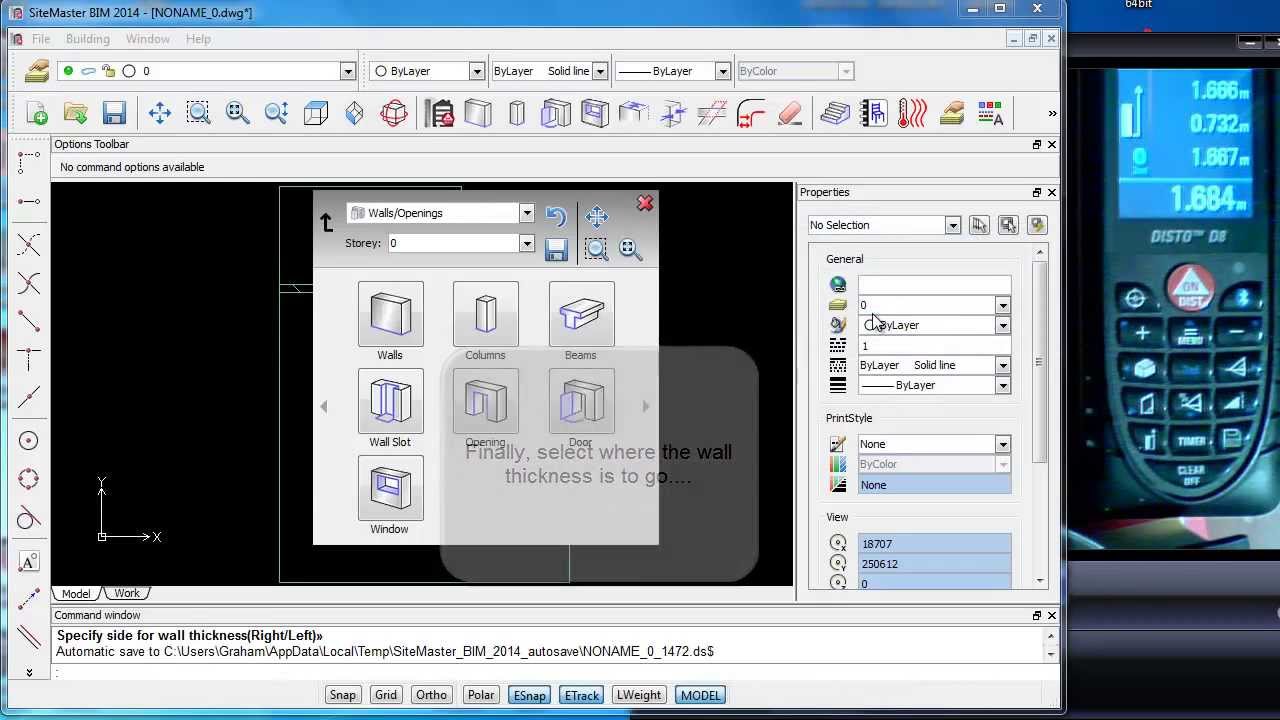
SiteMaster BIM is a surveying solution to create in the most efficient and accurate way on-site as-built 2D floorplans and/or 3D building designs in DWG directly and automatically from the measures taken with your laser distance meter. This video explains how to design doors in 3D with BIM automatically from the measures of your Disto Laser Distance Meter. Our solution can be run on any Windows computer or more interestingly on a Windows tablet you can eventually wear as a watch (eg on a 8″ tablet). The distances and angles are sent by Bluetooth from the distance meter which allows you to draw very fast and with the highest accuracy. To learn more about SiteMaster BIM, visit our Youtube Channel: GraebertTV
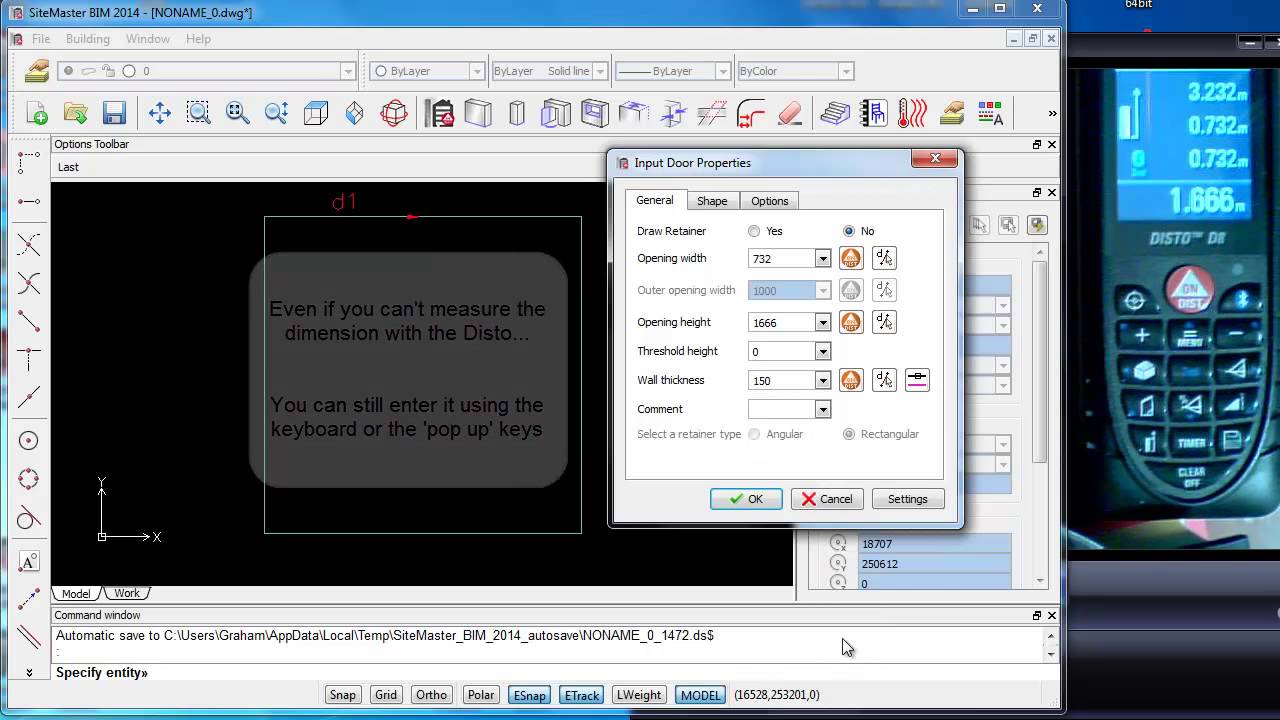
SiteMaster BIM is a surveying solution to create in the most efficient and accurate way on-site as-built 2D floorplans and/or 3D building designs in DWG directly and automatically from the measures taken with your laser distance meter. This video explains how to design doors automatically from the measures of your Disto Laser device with Room Diagram. Our solution can be run on any Windows computer or more interestingly on a Windows tablet you can eventually wear as a watch (eg on a 8″ tablet). The distances and angles are sent by Bluetooth from the distance meter which allows you to draw very fast and with the highest accuracy. To learn more about SiteMaster BIM, visit our Youtube Channel: GraebertTV

SiteMaster BIM is a surveying solution to create in the most efficient and accurate way on-site as-built 2D floorplans and/or 3D building designs in DWG directly and automatically from the measures taken with your laser distance meter. This video explains how to change the properties of doors BIM objects using the properties panel in the software. Our solution can be run on any Windows computer or more interestingly on a Windows tablet you can eventually wear as a watch (eg on a 8″ tablet). The distances and angles are sent by Bluetooth from the distance meter which allows you to draw very fast and with the highest accuracy. To learn more about SiteMaster BIM, visit our Youtube Channel: GraebertTV
The 2014 version of ARES Commander Edition, celebrates Graebert’s 30 years of innovation and expertise of CAD. More than just a high-productivity and cost-effective alternative to AutoCAD, Graebert’s CAD technologies are used by nearly 5 million of professionals in more than 100 countries and ARES Commander Edition is the third generation of our CAD software formerly known as FelixCAD and PowerCAD. To learn more about ARES Commander, visit our Youtube Channel: GraebertTV

Did you know that ARES Touch, our mobile DWG Viewer & Editor, is available for both Android and iOS?