
ARES 2027 Harnesses AI & Automation to Ease CAD Workloads
- 05/05/2026
- Posted by: Graebert
- Category: FeaturedGeneral NewsProduct NewsVideos
Graebert has released a new version of its desktop CAD software solution: ARES Commander 2027. A full-featured, DWG-native application for creating and modifying CAD files in 2D and 3D, ARES Commander is the No. 1 alternative to AutoCAD. It provides a familiar look and feel, with budget-friendly pricing and a choice of perpetual and subscription licensing options.
In this article, we’ll touch on highlights from the new features released in ARES Commander, as well as in ARES Kudo and ARES Touch — the other two elements of the ARES Trinity of CAD software. (Please note, some features are restricted to certain license types, such as a Trinity subscription. See the New Features page for more information.)
For further information about the latest updates and improvements in the ARES Trinity of CAD software, we invite you to:
- Visit the New Features Page
- Download the Top New Features in ARES Commander 2027, ARES Touch, and ARES Kudo PDF-Brochure
- Learn more by attending the Graebert neXt 2026 event, coming June 3, 2026.
To try the new features yourself, create a free Graebert account and start your free trial today!
What’s New for 2D/3D CAD in DWG?
Version 2027: The fastest ARES Commander ever
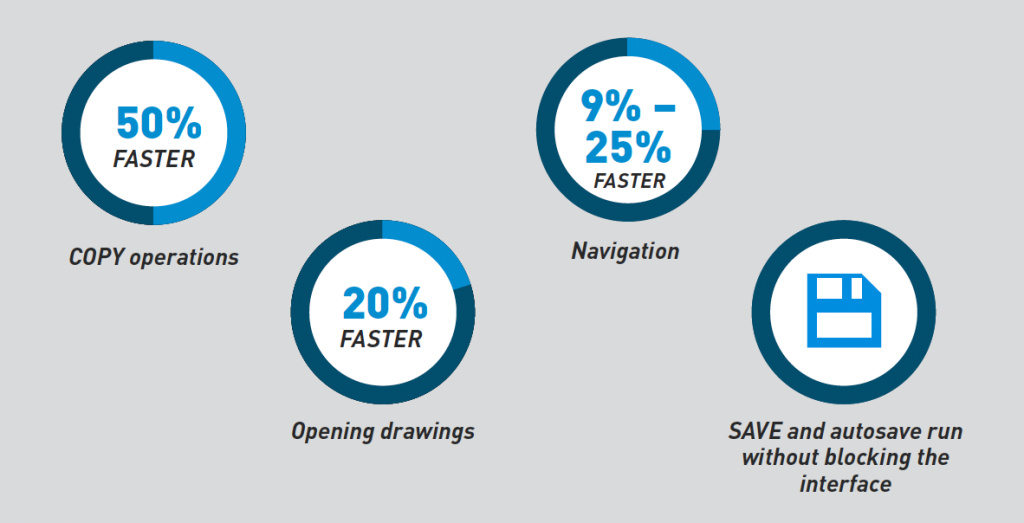
Performance tests were made out of 65 reference drawings (ranging in size from 1MB to 167MB), in 5 different hardware configurations, comparing key performance indicators in version 2027 SP0 with version 2026 SP0 (which was released one year earlier).
Testing confirmed the following improvements:
- Opening drawings happens up to 20% faster
- SAVE and AUTOSAVE run without blocking the interface
- COPY operations are up to 50% faster
- Navigation is 9–25% faster
Together, these improvements make ARES Commander 2027 the fastest version ever, especially when working with large drawings and complex multi-layout DWG projects.
These features unlock workflow shortcuts that save time and effort
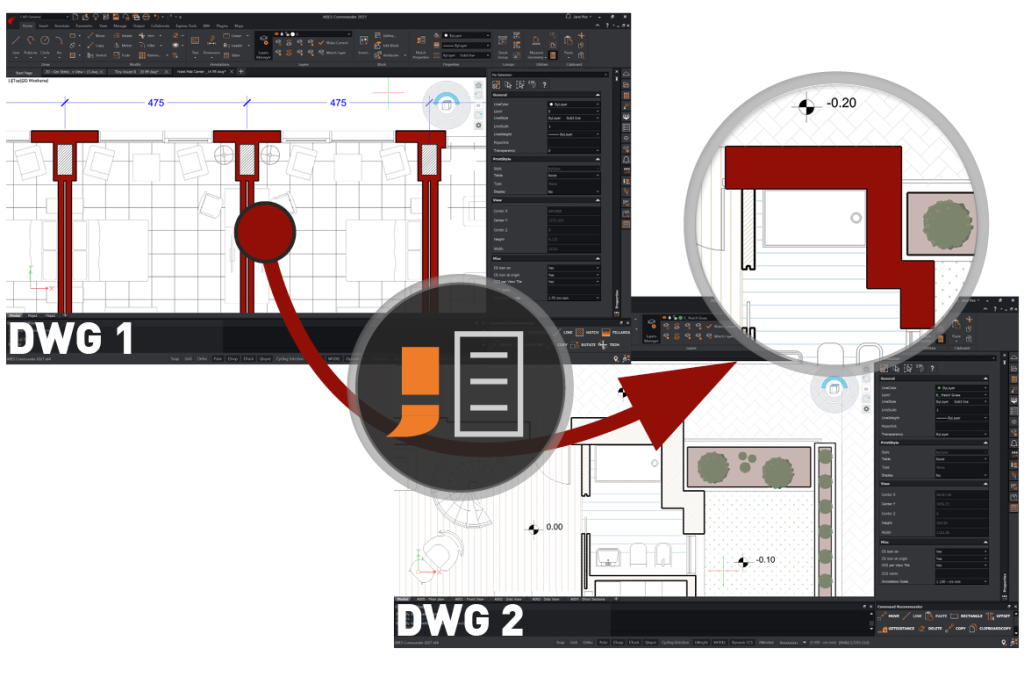
In ARES Commander 2027, the PROPERTYPAINTER command has been significantly improved, enabling users to copy properties from an entity in one drawing and apply them to entities in another open drawing. And in addition to standard properties such as color, layer, line type, and line weight, users can also match special properties similar to those supported in AutoCAD — such as dimension styles and materials.
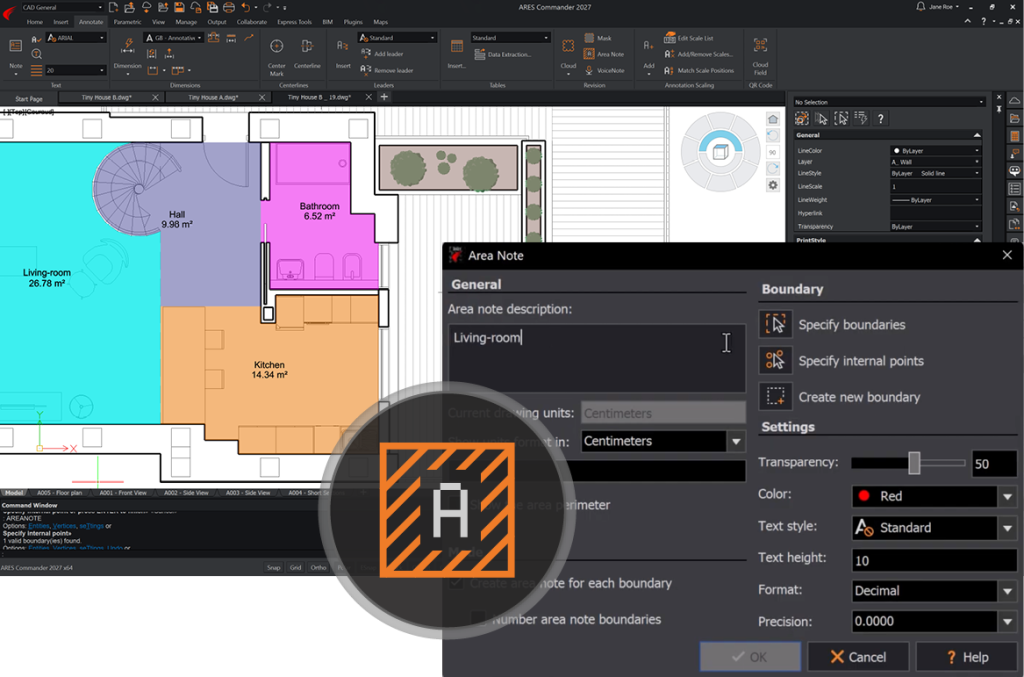
Previously exclusive to ARES Touch, the AREANOTE command is now available in ARES Commander and ARES Kudo as well. AREANOTE is an annotation tool that automatically calculates areas (in drawing units), creates a colored fill for easy visual identification (with optional transparency), and adds a label showing the measured area and/or a custom description.
ARES Commander also speeds workflows involving xrefs, in two new ways:
- Issuing automatic warnings for critical location changes, thereby helping to prevent broken links, and
- Allowing users to correct multiple missing reference paths in a single step.
An additional time-saving CAD feature is the ability to convert DWG drawings to the STEP (.stp/.step) file format to easily share 3D models with other CAD, CAM, or CAE applications, and facilitate collaboration with clients and partners using different platforms.
What’s New for Online CAD in DWG?
ARES Kudo is a cloud-based DWG editor equipped with a powerful array of 2D CAD and collaboration features — and adding more all the time
ARES Kudo has unveiled its first contextual ribbon — a dynamic interface that adapts to the user’s current action by displaying relevant tools directly on the ribbon. Now, hatch-specific tools automatically appear when the user is creating or selecting a hatch, eliminating unnecessary navigation.
ARES Kudo introduces a new Print workflow that delivers a modern, intuitive way to generate high-quality drawing outputs directly from a web browser. With the newly enhanced PRINT command, users can generate PDF outputs with precise control over paper size, orientation, scale, units, print range, offsets, centering, and print styles.
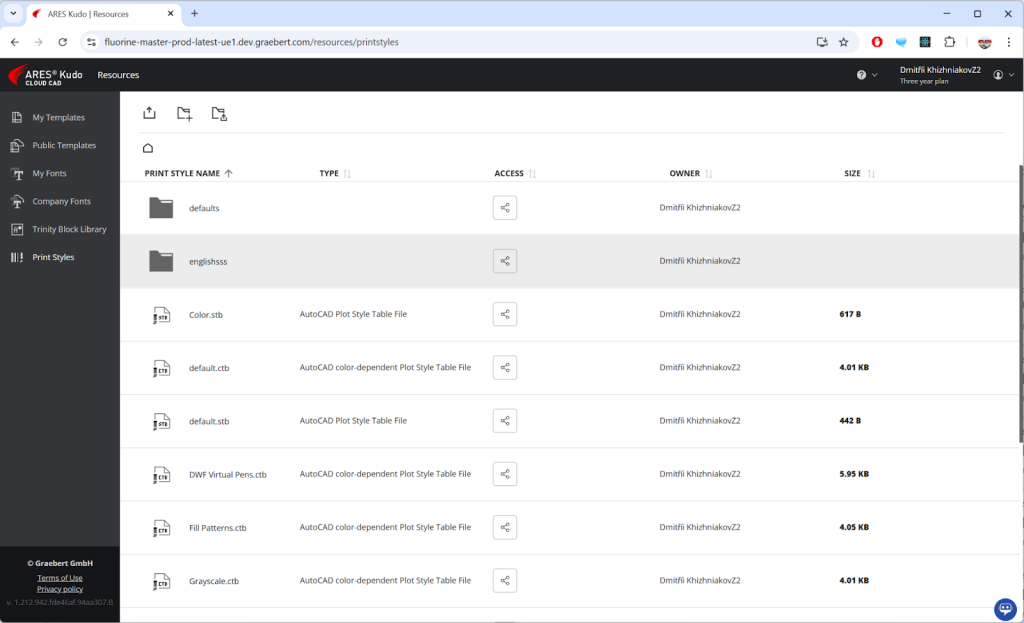
And new support for *.ctb or *.stb files enables reuse of pre-configured print styles created with AutoCAD or ARES Commander, as well as some commonly used print styles pre-loaded in ARES Kudo (such as default, monochrome, or grayscale). Using print styles, you can harmonize the drawings for your projects with parameters such as line weight, color, and screening.
What’s New in AI and Automation for DWG?
Whether you are using artificial intelligence for CAD assistance, or automated scripts to handle tedious tasks, the result is less work for you
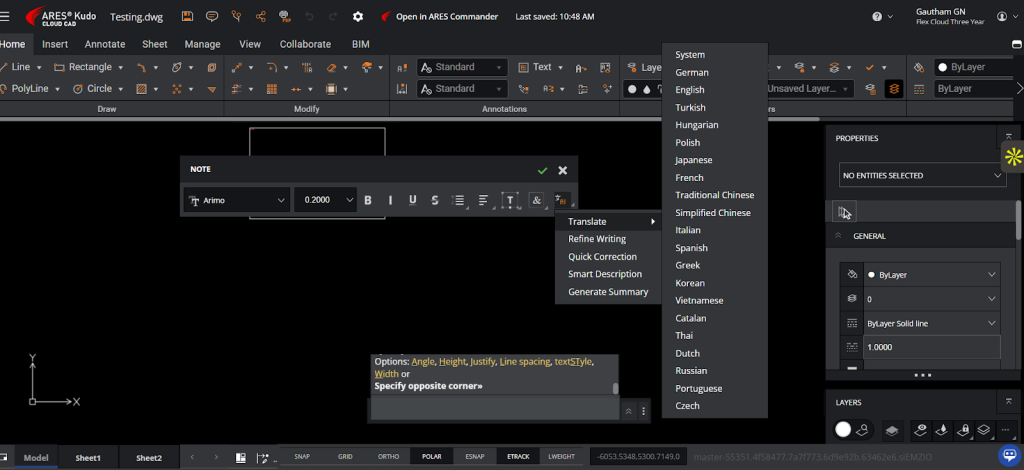
Following on the heels of the text enhancement tools previously released in ARES Commander, ARES Kudo’s MText editor has also been expanded with AI-driven text tools. These can help users to convert text between different languages, improve clarity, correct grammar, generate descriptive text, and summarize content, all without leaving the application.
The latest enhancements to ARES AI Assist (A3) in ARES Commander and ARES Kudo extend the power of this CAD-savvy artificial intelligence, which is powered by OpenAI technology and specially trained to help ARES users. Now, A3 can now create simple entities, and can select and modify entities with the same prompt, performing such actions as Move, Rotate, Scale, Stretch, and more.
More artificial intelligence–powered features include:
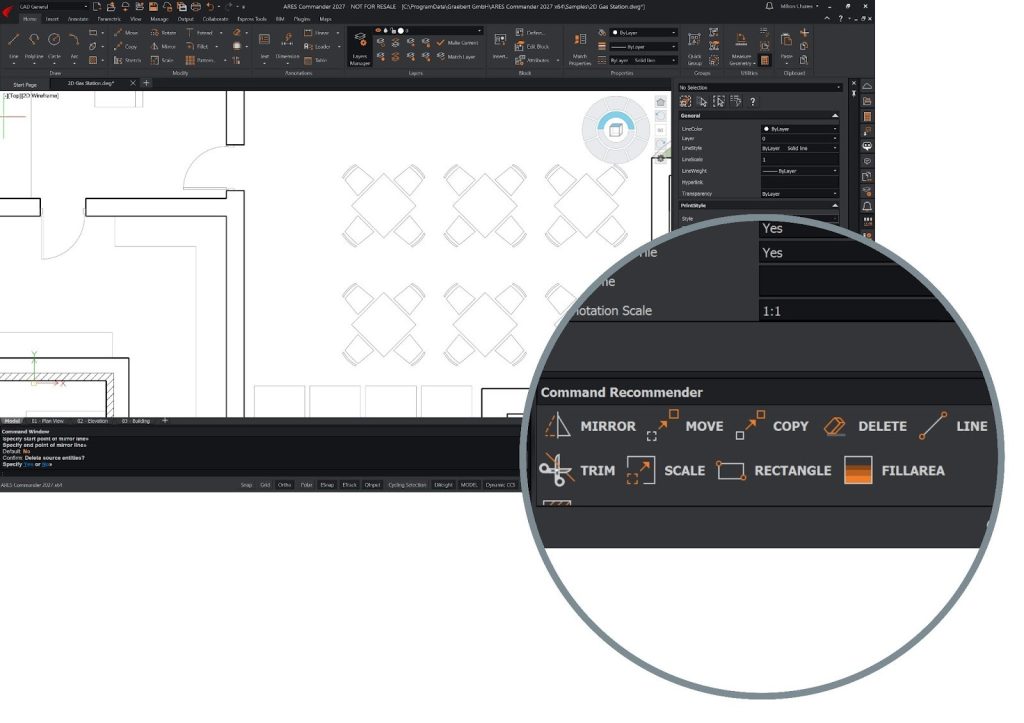
- A command recommendation widget that analyzes your interactions with the software and provides a list of 6 commands that are most likely to be used next, and
- A new tool that can generate precise CAD components directly from simple text descriptions. With the new AI-Assisted Block Generation tool, you can simply describe what you need — such as a door swing, a power outlet, or a table — and the system will generate an accurate, standards-aligned symbol for you.
Automation in ARES takes care of tedious tasks, freeing up time in the user’s busy schedule. Examples of automation jobs include DWG Drawing Compare, DWG Data Extraction, and Print Sheet Sets (.DST) to PDF.
Recent advances in automation offerings include:
- ARES Commander now includes built-in access to the ARES Online Drawings Automation jobs previously integrated in ARES Kudo. This allows you to offload the work to an online server, batch-process many files at once, schedule a task to be performed at a specific date and time, and repeat jobs to handle recurring tasks.
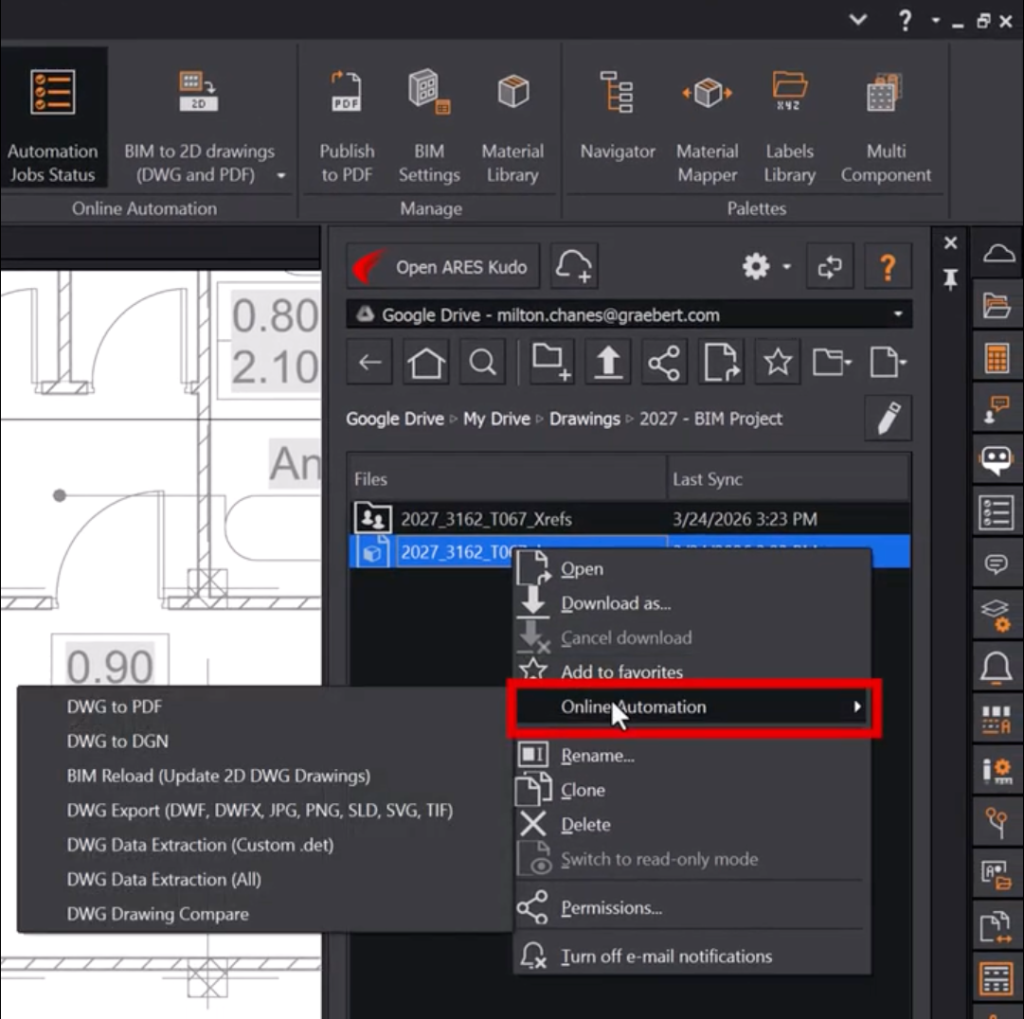
- The Cloud Storage palette, which enables you to connect ARES Commander with your cloud storage accounts, now also offers access to automation jobs. For example, you can right-click on a PDF file and select Convert to DWG; the Online Automation job will perform the PDF-to-DWG conversion, and you can then open the DWG file to edit it if desired.
What’s New in BIM-to-DWG Drawings Automation?
Our BIM drawings automation technology — which effortlessly generates DWG floorplans, sections, and elevations from Revit and IFC files — continues to expand
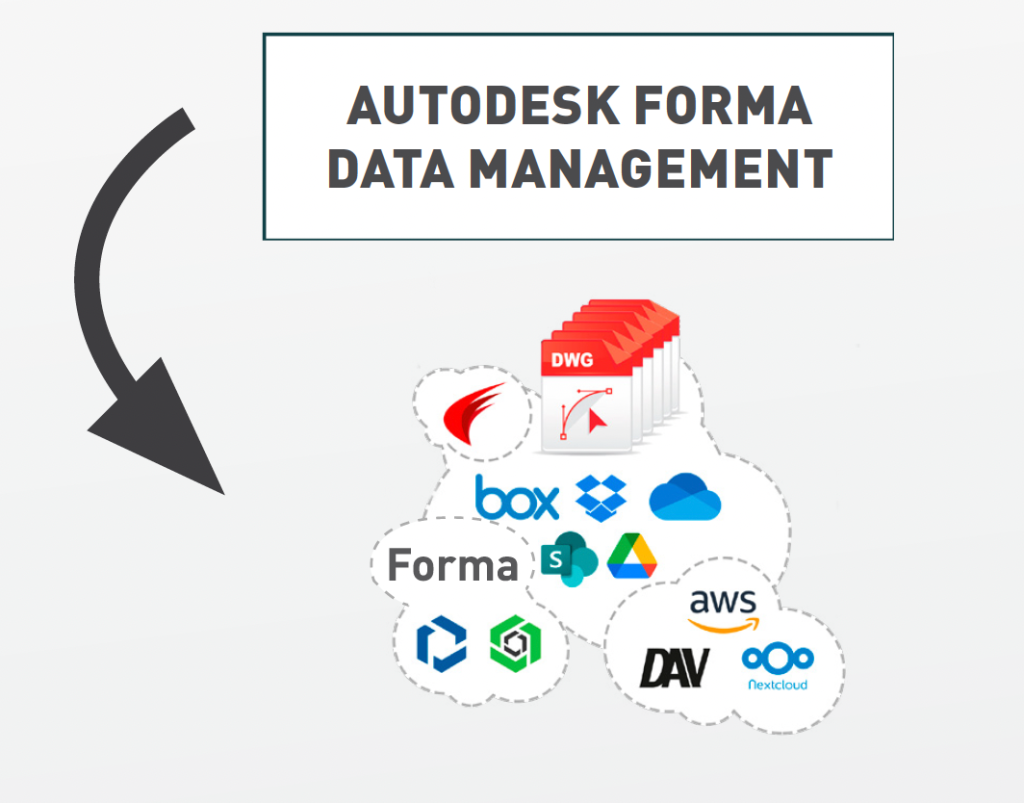
ARES Commander and ARES Kudo can automate the creation of DWG files from Revit or IFC files. These files can be stored locally on your computer or in a connected Cloud storage account, such as Google Drive, Dropbox, Box, OneDrive, or Microsoft SharePoint. Now you can also connect to Autodesk Forma Data Management (previously known as Autodesk Construction Cloud, or ACC), and therefore use Revit files that are stored there.
In addition, ARES Commander and ARES Kudo can save and synchronize with your project folder in Forma Data Management all the DWG floorplans, sections, and elevations that you will automatically generate with the BIM Drawings Automation features in ARES Commander (or with the ARES Online Drawings Automation that is available in ARES Kudo, and now also in ARES Commander).
Other BIM-related updates include:
- ARES Commander now supports the Revit 2026 file format; users can generate BIM drawings from RVT files created in Revit versions 2011 through 2026.
- Online BIM Drawings Automation is now accessible directly from ARES Commander. Based on the ARES Online Drawings Automation features previously released in ARES Kudo, this feature offloads tasks to an online server, so they can run in the background.
What’s New in Cloud-Based Collaboration for CAD in DWG?
The ARES Trinity concept, which connects ARES Commander with ARES Kudo and ARES Touch, enables efficient new workflows and modern collaboration
The new integration with Autodesk Forma Data Management (formerly known as Autodesk Construction Cloud, or ACC), enables ARES Commander, ARES Kudo, and ARES Touch users to browse, create, and edit DWG drawings in synchronization with this cloud storage. Connecting with Autodesk Forma Data Management also unlocks the option to use the Trinity Collaboration features — including session handling, version control, and markups & comments, among others — even though the files are staying in Autodesk Forma.
A free version of ARES Kudo is available to extend collaboration with internal users.
But it’s likely that not all users in your company will need this full functionality. With the Free and Professional versions of ARES Kudo, companies can find a cost-efficient combination that helps all team members collaborate effectively.
To begin, simply create a Graebert Account and start with our free 30-day trial. During the trial period, you will have full access to the editing features of ARES Kudo, and can connect your preferred cloud storage services to not only view, but also create and modify DWG or DXF drawings. When your free trial expires, the editing features of ARES Kudo will be disabled, but you can keep using it to view drawings online for free. To learn more, watch the video “Free Online DWG Viewer for Teams – ARES Kudo Free Version for Secure DWG Viewing & Commenting” on Graebert’s YouTube channel.
What’s New in Licensing, Admin, and Help?
With every update, we strive to give you better control over your software, and better access to resources
Last year, we launched a redesigned Graebert Customer Portal for company administrators, simplifying license, user, and device management. (To learn more, watch “Manage Multiple ARES CAD Licenses & Users – Admin Space for Organizations” on the Graebert YouTube channel.)
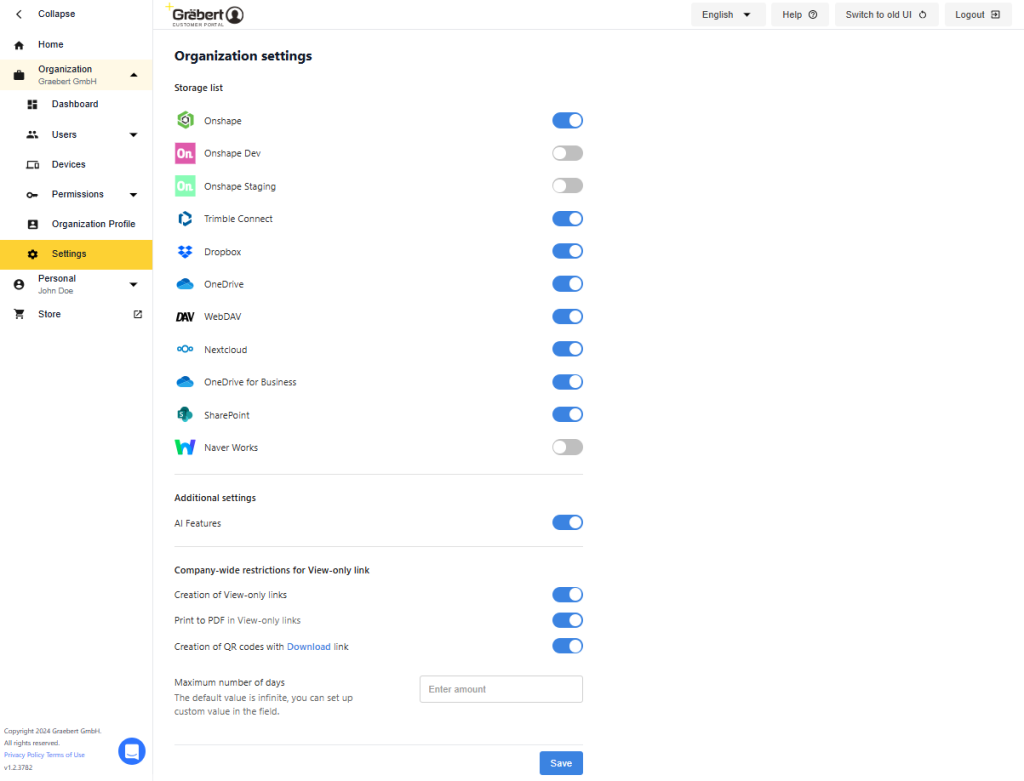
This year, we extended the new design — which features a more intuitive user experience — to the rest of the Customer Portal, and in particular the interface for users. A new dashboard brings all company-level settings into the Customer Portal for simplified management. This includes a new company-level setting: With one convenient toggle, administrators can enable or disable AI feature access across all Graebert applications.
The Help files for the ARES CAD software are now available online, making it easy for ARES users to explore and search them. We took the opportunity to create the new webpage learn.graebert.com, which indexes all the available resources for users and developers. In addition to product documentation, you’ll find links to the free online Graebert Academy, videos, blog articles, and more.

What’s Next for CAD in DWG?
Coming up on June 3, 2026, Graebert neXt is a free online event for CAD users, managers, and developers; engineers; and IT professionals. NeXt is designed for all 2D/3D CAD users, whether they work with ARES or with other CAD software, such as AutoCAD. Don’t miss the keynote sessions, product demonstrations, and insights from industry thought leaders!
